
3D Animation for Ecommerce: A Practical Guide
Listen to this page
Audio is unavailable. You can read the full page below or open the transcript.
TL;DR
3D animation helps online buyers see how a product moves and works. A rendered film is not interactive, so decide first whether the shopper needs a directed film, a spin, a live 3D viewer or AR. Give the film one clear job, brief the product page around it, and measure the change rather than assume it.
Key takeaways
- Use animation when a buyer needs to see movement, function or assembly.
- A film is not interactive: if the shopper needs to turn or configure the product, use a viewer, configurator or AR.
- Give each film one clear job on the product page, and brief the page as well as the film.
- Start with sound source files and approved product claims.
- Decide how you will measure the change before release.
Online buyers cannot pick up a product. They need the page to answer the questions that a shop visit would solve. A good product film can show scale, movement and detail in a short, controlled sequence. This guide is the animation part of CGI for ecommerce.
3D ecommerce solutions: film, spin, live 3D or AR?
A rendered film is not interactive: the shopper watches it, but cannot rotate it or change it. Before commissioning, match the format to the question the shopper is asking. Not every store or product needs all four.
| Shopper question | Suitable format | What the shopper controls | Production and handoff check |
|---|---|---|---|
| How does it work, or what happens inside? | Directed film | Play, pause and sound | Shot list agreed with the product team; placement and file versions for the page |
| What does it look like from every side? | Spin or live 3D viewer | The angle, and sometimes zoom | Number of frames or a real-time model; viewer hosting and fallback |
| Which option do I want? | Configurator | Finishes, sizes or parts, within approved combinations | Valid combinations agreed; who hosts and maintains it |
| Will it fit in my room? | AR | Placement in their own space, on supported devices | Real-world scale; device testing; fallback when AR cannot launch |
For spins, see product turntables. For live 3D and AR, read when interactive 3D is useful and the 6 basics of AR and 3D for ecommerce. Need a live viewer instead? Live interaction, hosting and ongoing integration need their own technical scope. The rest of this guide covers the directed film.
What animation adds to an ecommerce page
It shows movement
A still image can show shape and finish. It cannot show a hinge, control, latch or change of state. Animation can slow that action down and place the camera where the buyer needs it.
It gives the product context
A short scene can show a product in use. This helps the viewer read scale and understand where the item belongs. Keep the scene simple so the product stays central.
It reveals hidden detail
Cutaways and exploded views can show parts that a camera cannot reach. They work well for technical products, as long as the sequence stays true to the design.
It supports a joined campaign
The same approved 3D scene can support a hero film, short social edits and product stills. Planning those assets together keeps the look consistent. Stills are usually rendered separately for quality, and catalogue stills for every SKU are a different job from a directed launch film.
A product question, answered in one sequence
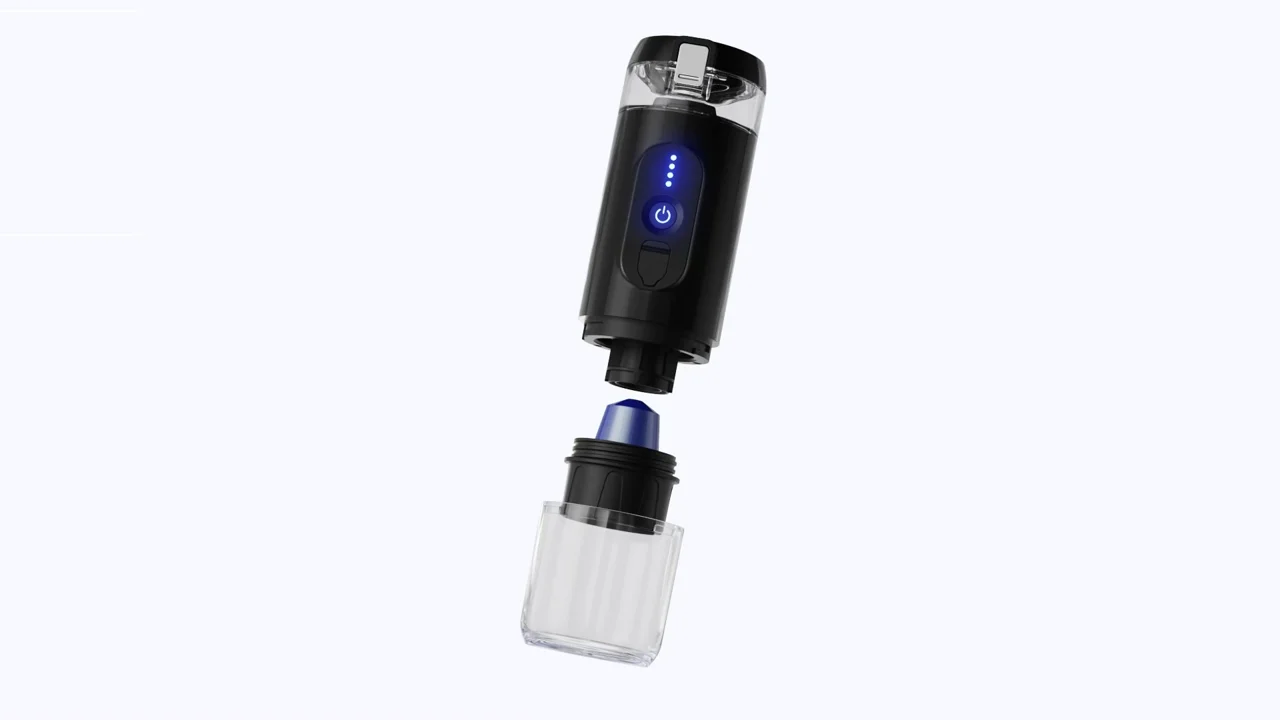
The Caffe2go portable coffee machine shows how each piece of motion can answer one question. Caffe2go came to XO3D with a complicated brewing process and a charging system that early photography could not explain. XO3D made a hero film, an exploded view, a charger sequence and a website feature loop, plus stills, each with its own job:
- The exploded view answers “how does it work?” It pulls the machine apart to show the heating plate, temperature sensors and internal architecture, built with Caffe2go’s engineering team.
- The charger sequence answers “how do I charge it?” It shows how the cable charges the machine, a detail that was confusing in text.
- The feature loop introduces the product on the homepage, cut from the same CGI source as the hero film.
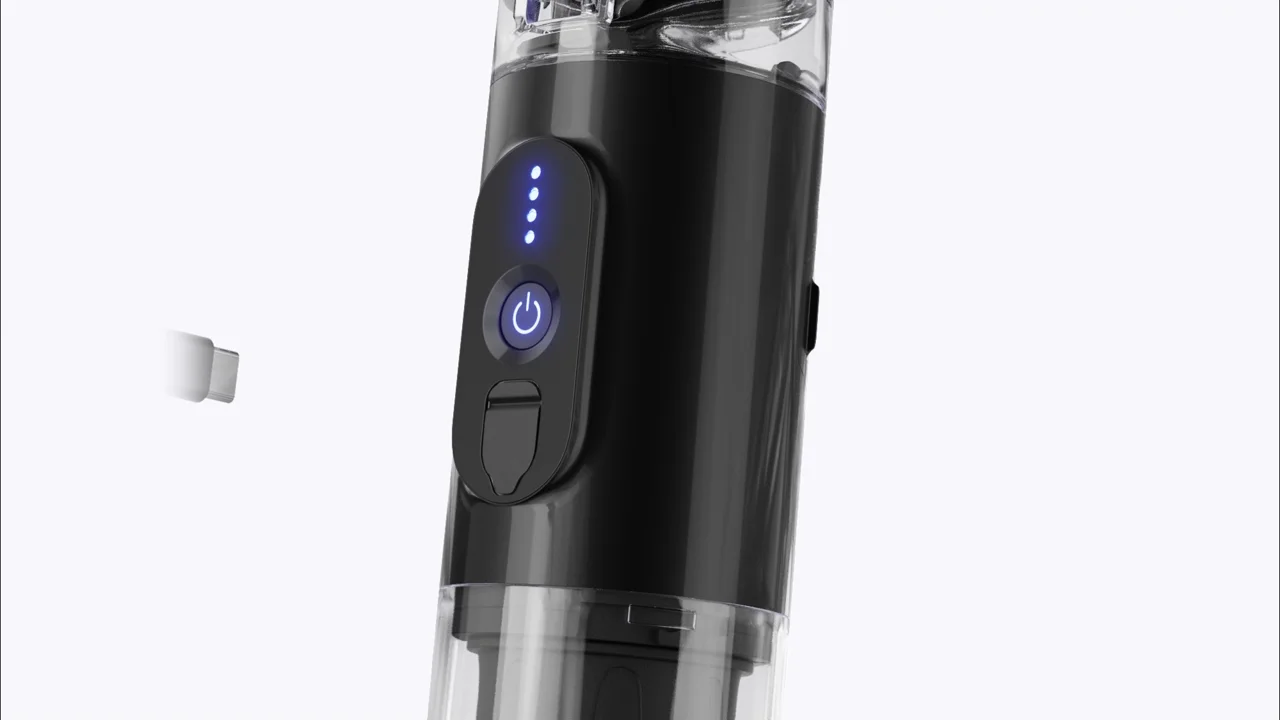
These are the project’s published roles for each film, not measured results: no sales, watch-time or returns figures are claimed here.
Plan the film around buyer questions
Start with the page, not the software. Write down the main question that the film must answer. It may be about size, use, set-up or a feature that is hard to see.
Then choose the shortest sequence that answers it. A useful structure is:
- Establish the full product.
- Focus on the key action or feature.
- Show the result in context.
- End on a clear product view.
This gives each shot a purpose. It also makes review easier because the team can judge whether the film answers the brief.
Prepare the source material
Good source files reduce guesswork. Share current CAD or design data, finish samples and brand guidance. Mark any parts that are still in development, and name the person who owns the product revision. Product names, screen text and claims should be approved before final delivery, and the action the film shows must stay true to how the product really works.
Brief the page as well as the film
A film that is right in the edit can still fail on the page. Agree these fields with whoever builds the product page. Leave a field blank until the receiver confirms it; the platform’s own documentation sets the actual limits.
| Field | What to agree |
|---|---|
| Main shopper question | The one question the film answers |
| Placement and receiver | Which page, which slot, and who uploads it |
| Dimensions and aspect | The size and aspect ratio the slot needs |
| Sound | Whether it plays silent, and what carries the message without sound |
| Poster frame | The still shown before the film plays |
| Adjacent text | The sentence beside the film that states its main point |
| Controls | Play, pause and mute, and whether it autoplays |
| Mobile framing | How the key action reads on a phone screen |
| Text and language versions | Textless masters, captions or translated versions |
| Loading | When the file loads, and its compression |
| Acceptance owner | Who checks the film on the live page and signs it off |
For delivery decisions, the XO3D Labs social video format guide and CGI file delivery spec generator help you write the spec down. Check each against the receiving platform before relying on it.
How to assess the change
Decide what the film is for, and how you will know, before it goes live:
- Choose the buyer question and the primary measure first. For example, add-to-cart rate on that product page, or fewer returns that give a particular reason.
- Record media availability and interaction. Whether the film loaded, and whether people played it.
- Track the commercial measures. Add-to-cart, conversion and relevant return reasons.
- Watch the page itself. Loading time and errors, so engagement is not bought by slowing the page down.
- Compare like with like. Use comparable traffic before and after, or a controlled page variant where the platform allows it. People who choose to play a film may already be closer to buying, so comparing viewers with non-viewers does not show cause.
- Keep differences visible. Report device, channel and product separately rather than blending them.
An observed difference is not proof that the film caused it. Treat a result as evidence for the next decision, not a guarantee for the next product.
Keep the page easy to use
Video should support the page, not slow it down. Use a clear poster frame, sensible compression and playback controls. Add nearby text that states the main point for people who do not play the film.
When XO3D is a fit
XO3D creates 3D product animation for tech, industrial and premium consumer products. We direct each film around the product, the audience and the launch channel. Ongoing shop hosting, theme work or catalogue-wide software are separate scopes.
Tell us the product question, source material and intended placement. We can assess the sequence and production requirements. To see what drives animation cost, the XO3D Labs animation calculator sets out the factors; for catalogue stills, see what product rendering costs.
Start the conversation
Have a product worth showing?
We reply to every brief personally, usually within one working day.
FAQ
Common questions, answered.
What can 3D animation show on an ecommerce page?
It can show product form, movement, assembly, hidden parts and key features in a clear sequence.
Is a 3D product animation interactive?
No. A rendered film plays the same way for every viewer, and the shopper cannot rotate it. If shoppers need to turn the product, zoom in or choose options, they need a spin, a live 3D viewer, a configurator or AR.
Does every product need an animation?
No. Animation is most useful when movement, function or construction is hard to explain with still images alone.
What should a team prepare before production?
Prepare current CAD files, material references, brand guidance, approved product claims, the revision owner, and the page or campaign where the film will appear, including its placement, dimensions and whether it plays with sound.
How do we know whether a product page film works?
Choose the shopper question and the main measure before release, then compare comparable traffic, or a controlled page variant where possible. Comparing people who played the film with those who did not mostly reflects their existing intent, so it does not prove the film caused a change.
Can the same 3D work support still images?
Often. A planned 3D scene can produce both motion and still assets for a joined campaign, though stills are usually rendered separately for quality.


Start the conversation
Got a product worth showing? Let’s talk about what it needs to do.
We reply to every brief personally, usually within one working day.