
6 Marketing Benefits of 3D Product Animation
TL;DR
3D product animation earns its place when the message changes over time, such as a mechanism, an assembly sequence or a planned reveal. A still answers a detail question and an interactive model lets the viewer inspect it. Plan the formats, source files and review stages before production, and measure the result rather than assume it.
3D product visualisation is a family of outputs made from a 3D model of a product: stills, animation and interactive experiences. Each answers a different question.
A still lets a buyer study a finish or a detail. An interactive product experience lets them turn the product and inspect it themselves.
Motion earns its place when the message changes over time: a mechanism working, an assembly sequence, or a reveal that has to land in a set order. For the still and interactive routes, see 3D product visualisation; for films, see product animation services.
For manufacturers, the useful scope is the product itself: how it works, how it assembles and how its parts relate. A product film is not a factory layout plan, a production line study or a process simulation.
Product films can also support a launch campaign, and they can be shown on a website, at events or on outdoor digital signage. Earlier XO3D examples include the Bloq.it smart locker animations and the Allwood Modulite animation. For the limitations, and when a still is the better choice, see 3D animation advantages and disadvantages.
What animation can show a manufacturer
A manufacturer usually needs a film to answer one practical question for a buyer, an investor or a sales team. The table below matches common questions to an approach. It is editorial guidance, not a rule.
| Buyer’s question | Suitable visual approach | Source and approval needed | Example |
|---|---|---|---|
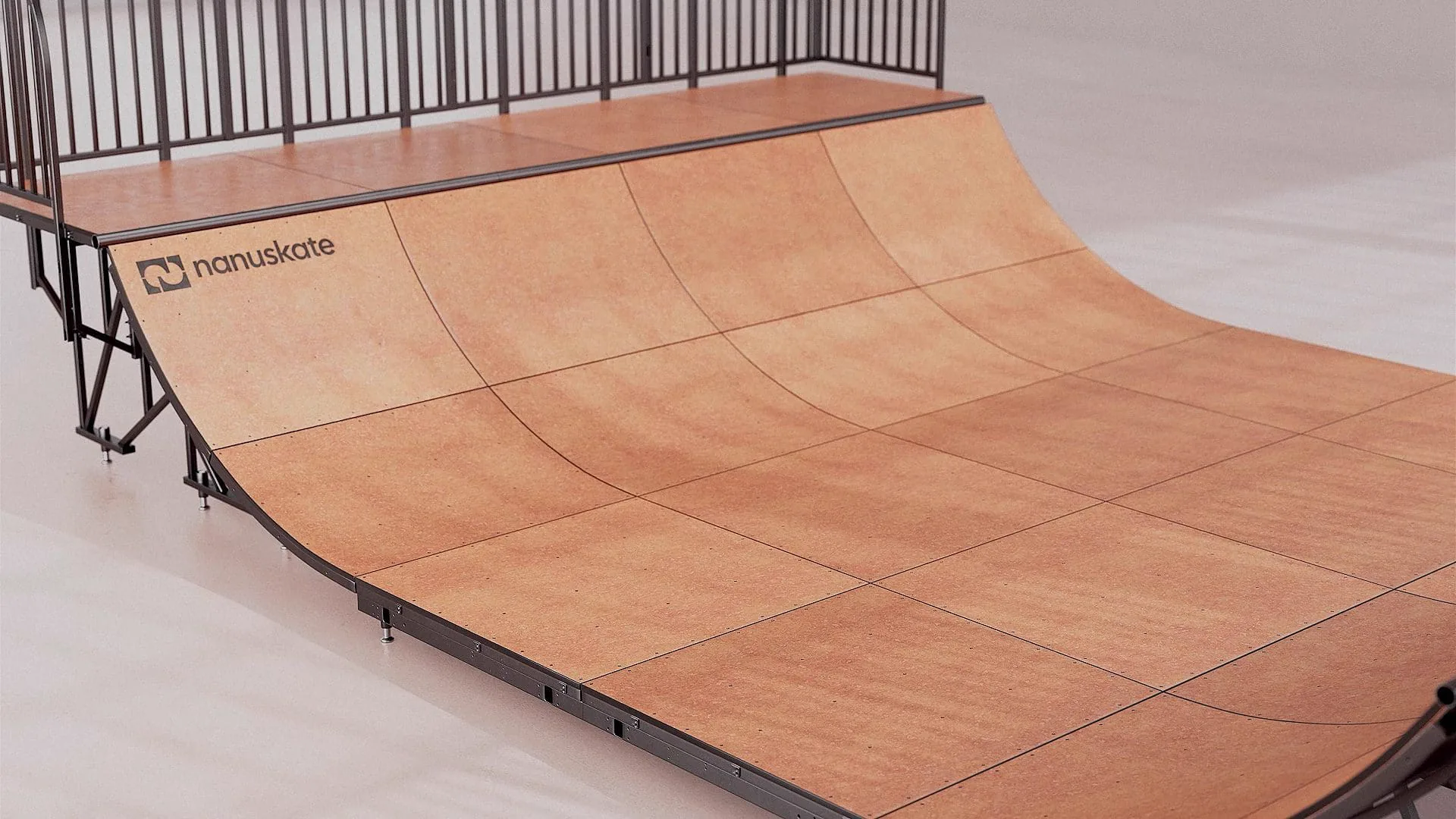
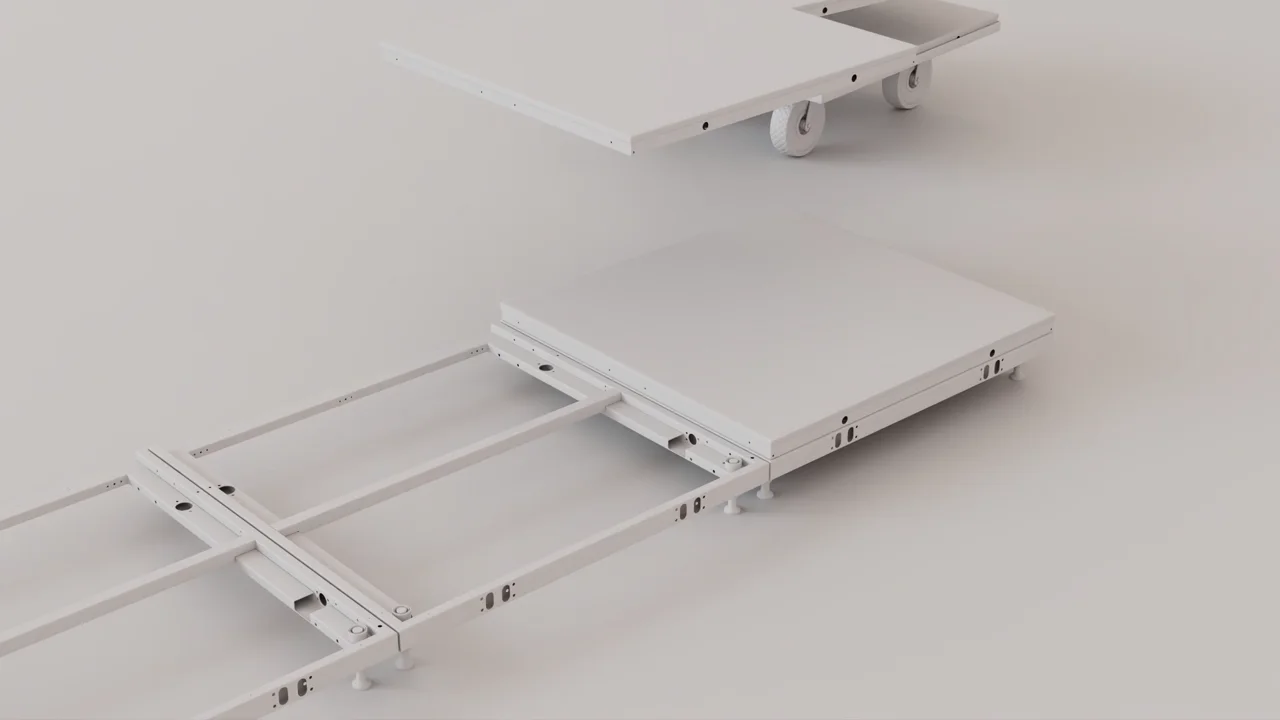
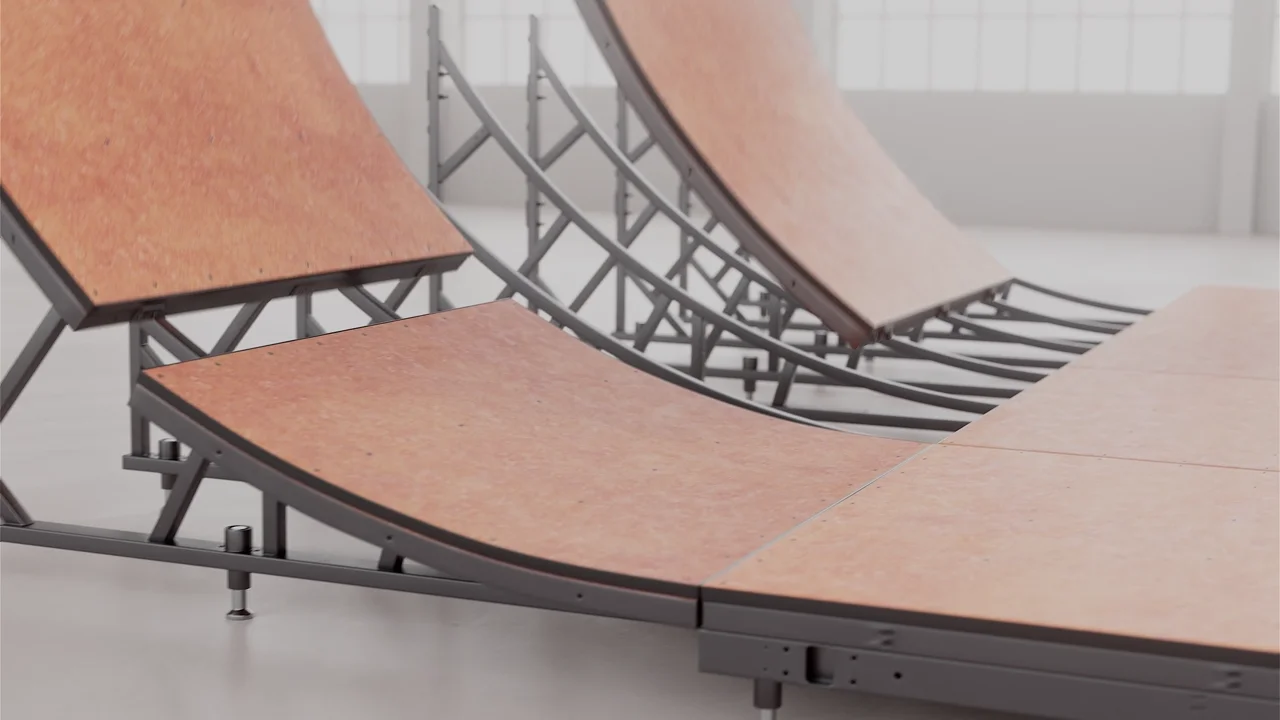
| How does it go together? | Step-by-step or exploded assembly animation | CAD for every part, the agreed assembly order, client review of each step in greycard | Nanuskate modular ramp |
| What does it look like before it is made? | Pre-production film or stills from the CAD | The current design revision, finish references, agreement on what is still provisional | Nanuskate, built before production |
| How does the mechanism work? | A focused mechanism sequence, often with a cutaway | Movement references, the parts that move and how far | Rollink Futo collapsible suitcase |
| Which version suits which channel? | One master film with planned cut-downs | The list of placements and formats, agreed before cameras are locked | Nanuskate 16:9, 1:1 and 9:16 cuts |
The Nanuskate modular ramp animation shows these jobs side by side. Nanuskate came to XO3D before production with a modular skate ramp.
The ramp had to be assembled in a specific order, so every assembly step was reviewed in greycard with the client, checking the order of parts, the motion timing and how the connections lock, before final lighting. The 71-second launch film and its cut-downs came from one Master Asset in three formats: 16:9 for the film, 1:1 for product pages and 9:16 for social.
Pre-production visualisation, mechanism clarity, delivery formats and staged product review are different jobs. A film can do more than one, but each needs its own source material and its own sign-off. A film made before manufacture shows the intended design; it does not prove the design works.
Six benefits of 3D product animation, and when each applies
1. Benefit: shows how it works
A buyer may ask how a mechanism moves, how a part folds or what happens inside the casing. A sequence can slow that action down and put the camera where the buyer needs it.
The Rollink Futo collapsible suitcase film shows a suitcase folding, which a single still cannot. This works when the movement is the message.
If the question is about surface or detail, a still is often clearer.
2. Benefit: explains assembly and modularity
When a product is a system of parts, the question is how they go together. Nanuskate’s film builds the ramp step by step and shows the connections locking. Because the steps were checked with the client in greycard, the order shown matches the agreed design. A product with no assembly story gains less from this.
3. Benefit: shows a product before it exists
A launch often needs visuals before the first unit is made. A film built from CAD can show the intended product to investors, retailers and early customers.
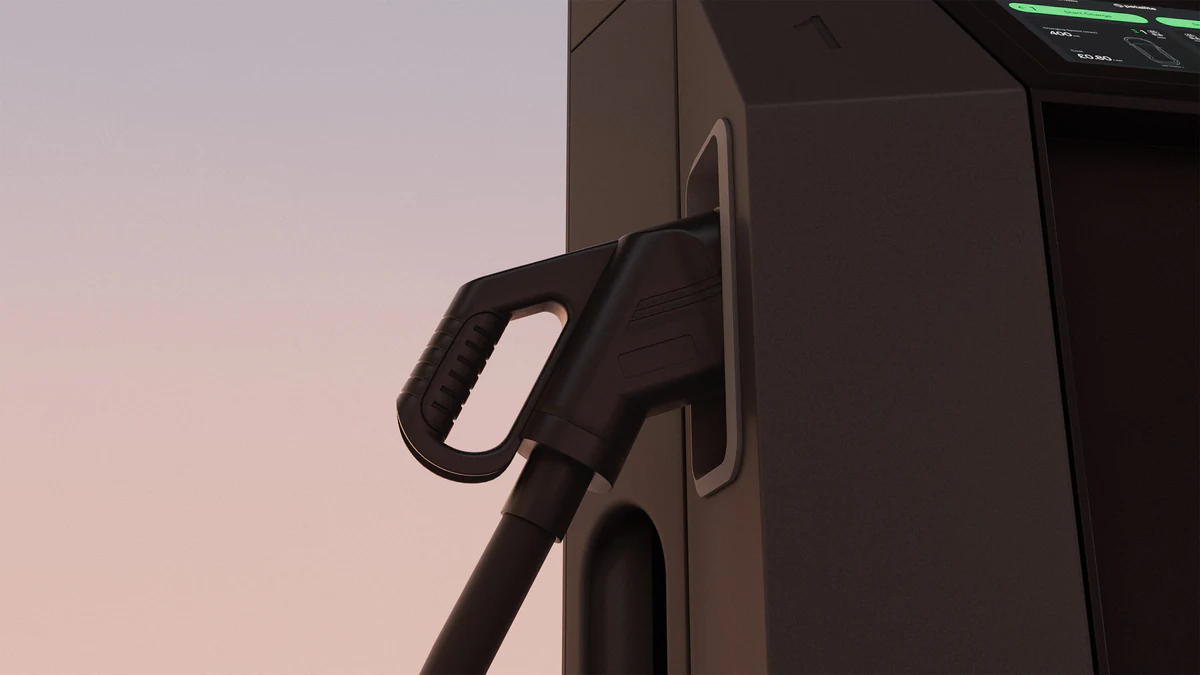
The Petalite EV charger animation was made this way, while the design was still in development and before a physical unit was manufactured. The design must be stable enough to animate, and the film shows the design intent, not a tested product.
4. Benefit: gives the launch one visual language
Camera, materials, lighting and edit can be planned together, so the hero film, cut-downs and stills look like one launch rather than a set of separate assets. Product CGI films are planned this way, and the Dermalux Flex Mini film is one example. Consistency comes from direction and review, not from the software.
5. Benefit: one master, several planned formats
A single 3D build can supply a landscape film, square product-page cuts and vertical social cuts, and the same model can show animated colourways. This works when the formats are agreed early. A crop that loses the action needs its own camera, which is extra work to plan for.
6. Benefit: makes detail readable without a long script
A short sequence can show materials, moving parts and finishes in the order a buyer needs them, so the copy around the film can stay short. The film still needs a clear brief and accurate source files: an animation made from out-of-date CAD shows the wrong product convincingly.
For more on how films are planned, see the 3D product animation guide and our case studies.
One master, several planned outputs
The geometry, material direction and camera plan built for a film can support a coherent set of deliverables. That reuse is real, but it is not automatic. Animation, stills and real-time assets often need separate preparation: a still is usually rendered separately for quality, and an interactive or AR model needs its own optimisation.
Plan aspect ratios at the storyboard and greycard stages. Where the composition allows it, extra canvas lets some crops come from the main render.
If a crop loses the action, agree a custom camera or a revised shot for that format. On Nanuskate, the lead 3D artist planned the film in a square composition with guides showing the landscape and vertical delivery areas, so the important action stayed inside each format.
| Output | Best for | What it cannot do |
|---|---|---|
| Still | Studying a finish, a detail or a label at the viewer’s own pace | Show movement or a sequence |
| Motion | Showing a change over time: a mechanism, an assembly, a reveal | Let the viewer choose the angle |
| Interactive | Letting the viewer turn, inspect or configure the product | Direct the viewer’s attention in a set order |
To choose between them, read animation or still renders.
What to prepare and check
Before production, gather:
- the product and its audience, and the one message the film must carry;
- CAD or dimensioned reference, with the revision named;
- finish and material references;
- movement references for any part that moves;
- the intended channels, formats and deadline.
CAD quality varies. Faceted surfaces or missing parts may need remodelling before animation starts. Three decision points then keep the film accurate:
- Product model review. The client confirms the model matches the current design.
- Greycard movement and framing check. Timing, camera, assembly order and framing for each format are reviewed before materials and lighting.
- Final material and lighting approval. The finished look is checked against the references.
The client is responsible for confirming that the product detail is accurate; the studio is responsible for showing it as agreed. Our guide on how to brief a CGI studio covers the brief itself. When you are ready, discuss your brief.
When another approach is better
A still may answer a static detail question more directly. Photography may suit an existing product, or a film that needs real people and real places.
A full interactive experience needs its own scope, because it is built and tested for a device, not rendered as a film. For the trade-offs, read 3D product animation advantages and disadvantages, which sets out the advantages and disadvantages side by side.
Choose by the communication task and the references you have, not by a blanket assumption about cost or speed. Complexity, source quality, the number of review rounds, the number of outputs and the delivery requirements all affect scope.
To see what drives animation cost, the XO3D Labs animation calculator sets out the factors. For stills, see what product rendering costs.
The takeaway
A 3D product animation earns its place when motion carries the message: how a product works, how it goes together, or how a launch reveals it. Plan the formats, source files and review stages before production, choose a still or an interactive model where they answer the question better, and measure the result where the film runs.
Product animation services start from that brief.
Start the conversation
Have a product worth showing?
We reply to every brief personally, usually within one working day.
FAQ
Common questions, answered.
What are the main benefits of 3D animation for business marketing?
It can show how a product works, explain an assembly or hidden mechanism, give a launch one consistent visual language, and supply several planned formats from one 3D build. Each of these depends on the brief, the source files and the review process. None is guaranteed by the technique alone, so measure the result in the channel where the film runs.
What is the difference between 3D product visualisation and 3D animation?
3D product visualisation is the wider family of outputs made from a 3D model. A still answers a detail question, a film shows a change over time such as a mechanism or a sequence, and an interactive model lets the viewer turn and inspect the product themselves. 3D animation is the film part of that family.
Can 3D animation help a manufacturer?
It can explain a product's mechanism, assembly or modular system before the product is made, for sales, launch or investor material. It is a communication film, not a factory process simulation, a technical certification or a substitute for a design review. The client still checks the product detail for accuracy.
What source files does a 3D product animation need?
CAD or dimensioned drawings with the revision named, finish and material references, movement references for parts that move, logo and label artwork, and the channels and formats the film must serve. CAD quality varies, and faceted or incomplete CAD may need remodelling.
Can one 3D animation be used in square, vertical and landscape formats?
Often, if the formats are planned before rendering. Extra canvas lets some crops come from the main render. When a crop would lose the action or the product, a custom camera or a revised shot is needed for that format.
Can stills and interactive 3D come from the same model?
The same model, materials and direction can support stills, film and interactive work, but each output is prepared and checked for its own use. An interactive or AR model usually needs its own optimisation, and a still is usually rendered separately for quality.
Does 3D animation increase sales or trust?
Not automatically. A film can make a product easier to understand, which may help a buyer decide. Any effect on enquiries, conversion or returns has to be measured on the actual page or campaign.
Start the conversation
Got a product worth showing? Let’s talk about what it needs to do.
We reply to every brief personally, usually within one working day.