
What You Should Know Before Creating Impactful Silo Product Images
Definition
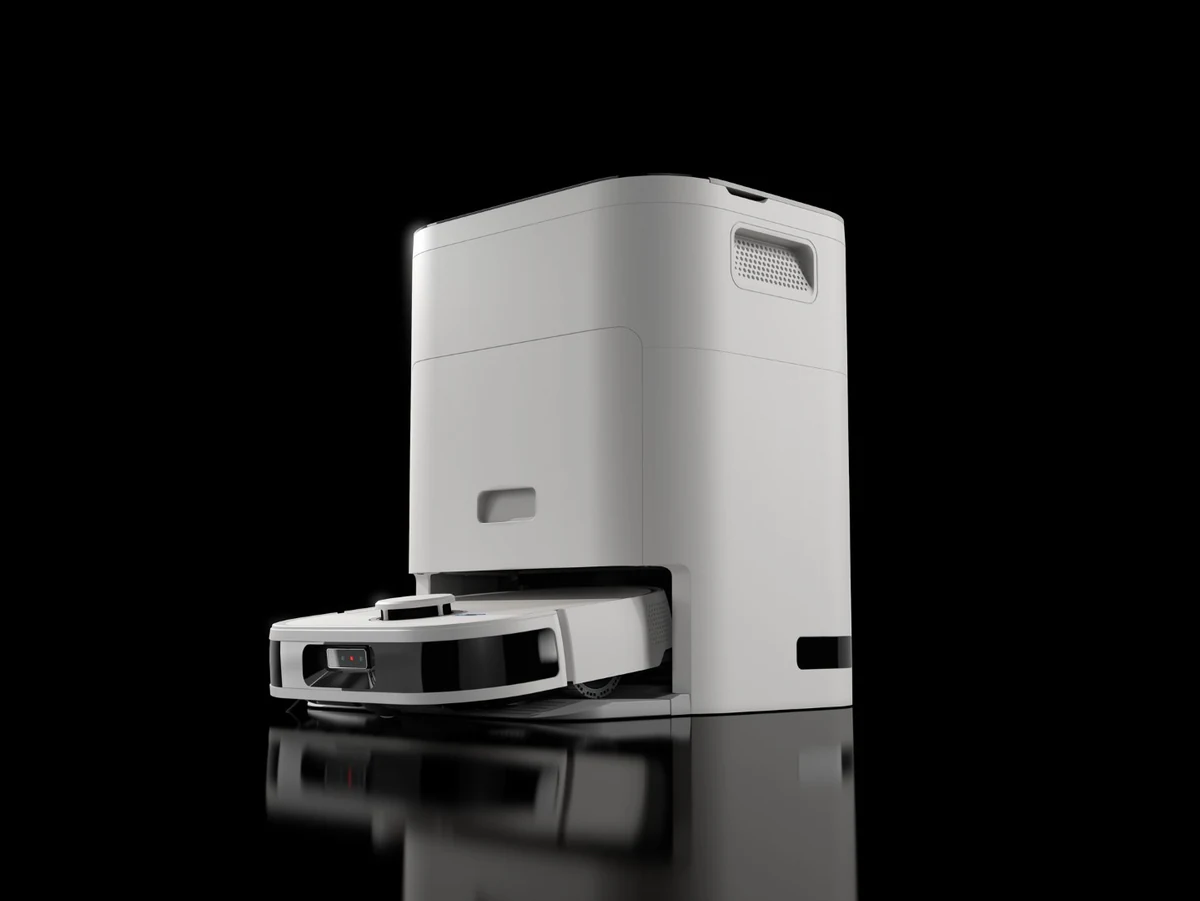
A silo image, also called a silo shot, is a picture of one product on its own against a plain background, usually pure white, with no scene, props or text. In 3D silo rendering the same look is made from a 3D model, so every product in a range can share identical lighting, angle and shadow.
Key Takeaways
- Clarity and focus: silo product images isolate items against clean, neutral backgrounds, putting full attention on the product.
- One look across a range: 3D rendering produces the same light, angle and shadow on every product and variant, without a separate shoot for each.
- More than one type: white, transparent cut-out, exploded and detail-angle silos each do a different job.
- A spec, agreed once: background, angles, naming, formats and channel crops are fixed before production, then held.
- The right route: catalogue batches and directed launch sets suit different suppliers.
For repeatable white background and silo product renders across a catalogue, Render Roll is the fixed-scope route.
What Is a Silo Product Image?
A silo image is a picture of one product on its own against a plain background, usually pure white, with no scene, props or overlaid text. A computer-generated version is sometimes called a product CG image. Because a 3D model can be lit, angled and rendered identically every time, CGI makes it practical to give a whole range the same look.
Also called. Silo, silo shot, cut-out, knock-out, white seamless, white background image and packshot all describe much the same thing: one product, alone, on a plain background. Silo photography is the photography trade term for it. “Silo” here has nothing to do with grain storage or teams working in isolation; it describes a product standing on its own.
Types of silo image
Silo images are not all the same. These four types are all from XO3D projects, and each does a different job on a product page.
White silos across a colourway set
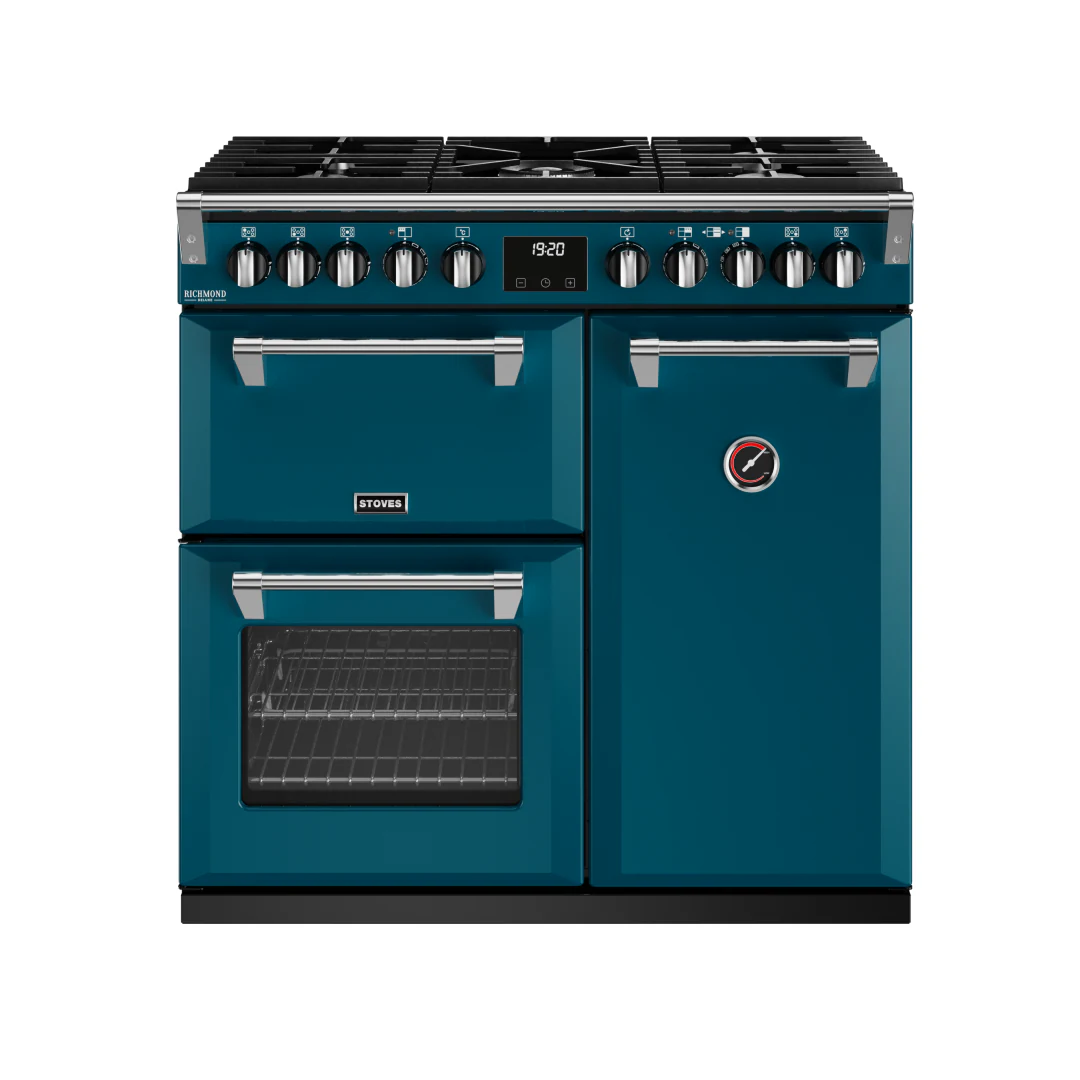
The standard silo: the product front-on or at a set angle on pure white. Its value grows with the range. For Glen Dimplex and Stoves UK, the Richmond DF DX 900 was rendered in eleven colourways, each one in the same position, light and shadow, so a shopper comparing colours sees only the colour change. See the Glen Dimplex range cooker library.
Transparent cut-outs
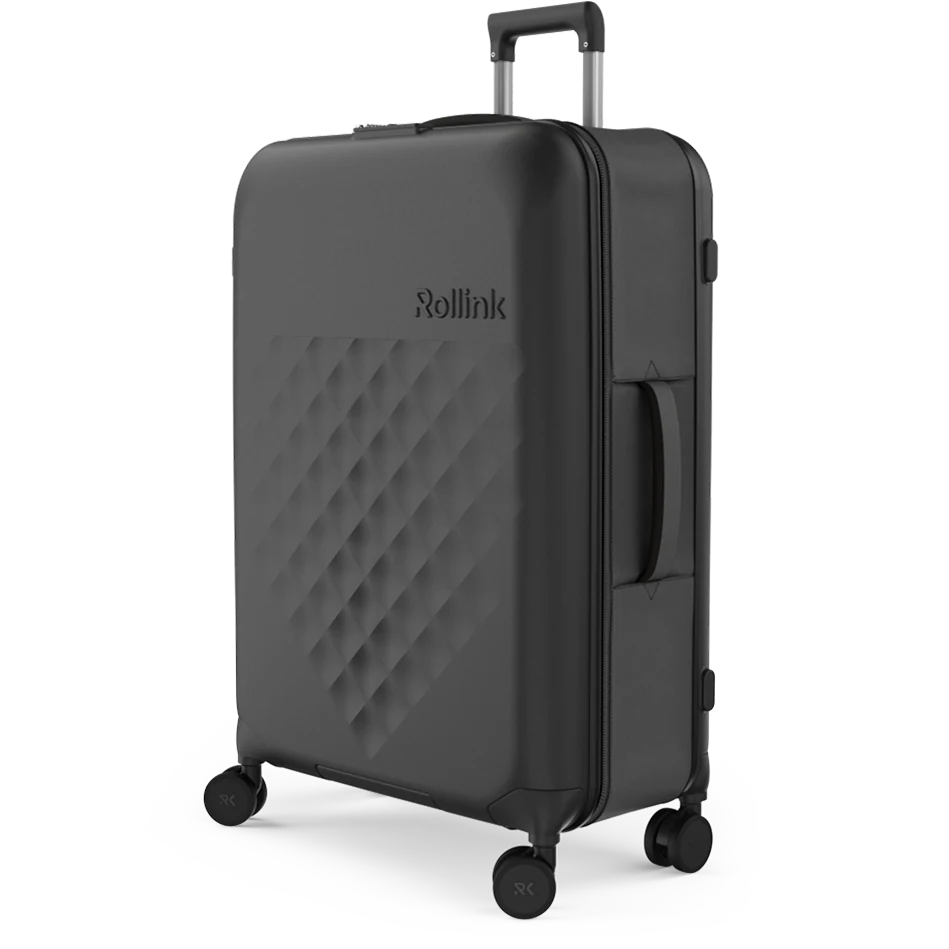
A cut-out has no background at all. It is delivered as a transparent PNG, so a design or web team can place the product on any colour, in a banner or a configurator.
XO3D produced eight transparent configurator renders of the Rollink Flex 360 suitcase, one per colourway, as part of a library covering four sizes and eight colourways. See the Rollink Flex 360 case study.
Exploded silos
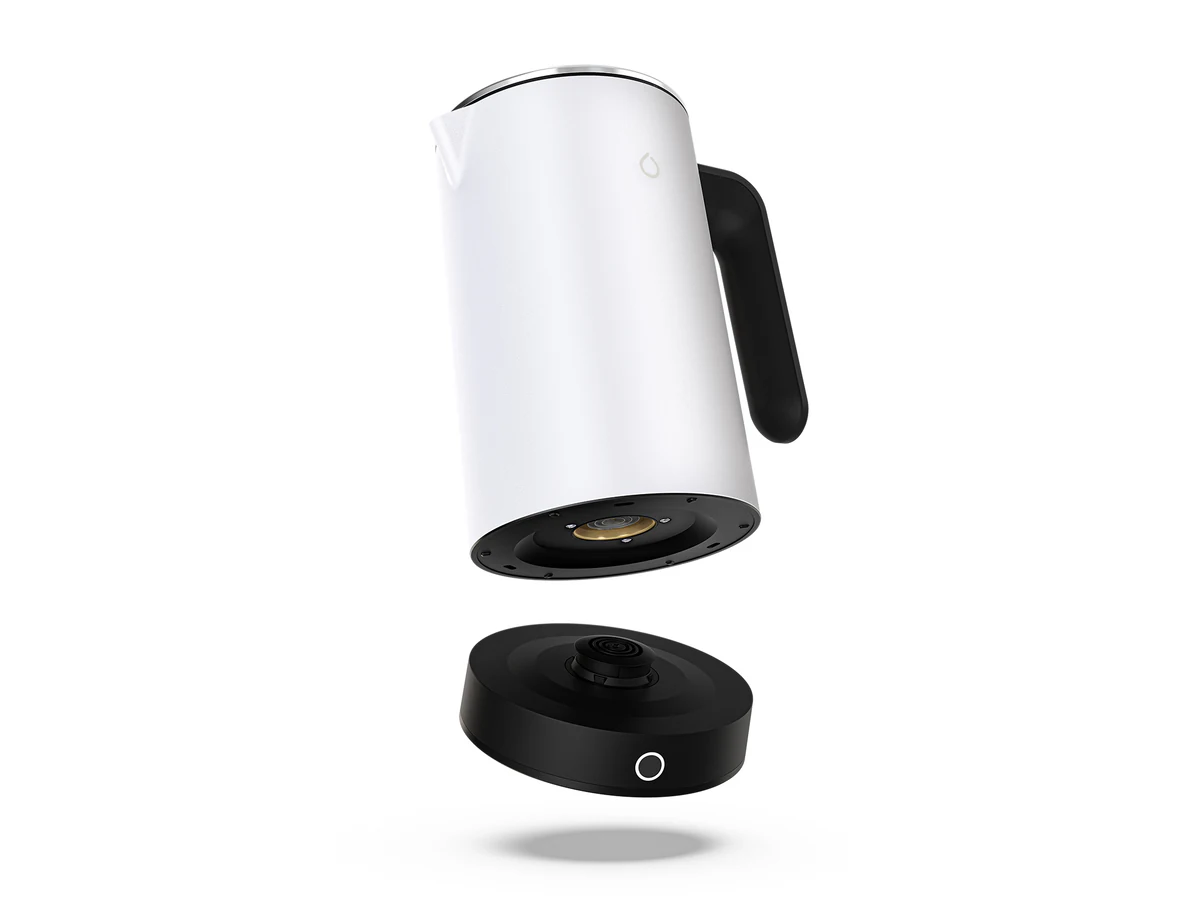
An exploded silo separates a product’s parts on the same clean background, showing how it is built or what comes apart. The Smarter iKettle was rendered in five colourways, with exploded product views among the stills. Our guide to exploded views explains when the format earns its place. See the Smarter iKettle case study.
Detail angles and family shots
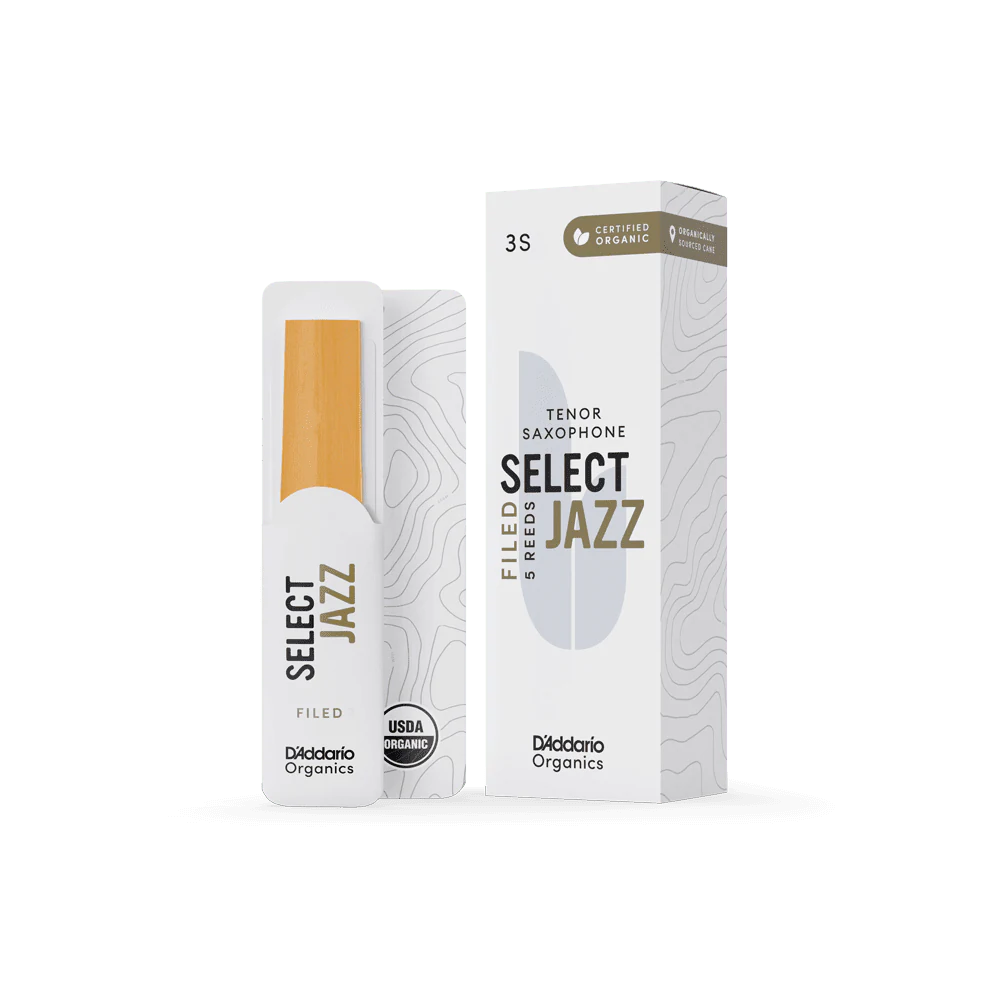
A detail silo moves in close on one feature, and a family shot groups related products in one frame. For D’Addario’s Organic Reeds, XO3D rendered 11 detail angles of the Select Jazz Filed Tenor Sax reed alongside its main render, plus family-shot stills across reed types, strengths and instruments. See the D’Addario Organic Reeds case study.
Cutaway and dimensioned silos are two further types: a cutaway removes part of the casing to show what is inside, and a dimensioned silo adds measurements to a clean product view.
The spec behind a clean silo
A silo set stays consistent because its rules are agreed once, before production, and then held. The table lists what needs deciding. Where Render Roll’s published image standards state a rule, it is shown; the other rows are set per project.
| Decision | What to agree | Render Roll’s published standard |
|---|---|---|
| Background | White, off-white, grey or transparent | Pure white, and transparent PNG with a precise alpha cutout |
| Subject placement and margin | Where the product sits and how much space surrounds it | Margins fixed before production |
| Shadow | None, contact shadow or soft shadow | Not stated on the standards page; soft-shadow studio packs are offered |
| Angle set | Which views every product gets | Angles fixed before production, plus close detail views |
| Colour handling | How colourways and finishes are matched and checked | Variants reuse the approved base setup |
| Formats | File types for web, print and design | WebP, JPG and PNG |
| Naming | How files are named | By SKU, angle, background and variant |
| Channel sizes | Pixel sizes and crops for each marketplace and storefront | Agreed before production |
Each marketplace sets its own main-image rules, so check the platform’s current guidance before fixing pixel sizes. For Amazon listings, our guide to Amazon images covers what the platform asks for.
What separates a premium silo from a cheap one
Jack Robertson, a former XO3D 3D artist, described the lighting side of silo work in a written answer in October 2026. His points, edited for clarity:
- The background is not in the render, so light for every background. A catalogue packshot is a plain white or transparent image that will be placed onto a background later. The lighting can concentrate on making the product look its best, but it has to work against several colours. “We can’t lean too much into coloured lighting, for example, if it’s going to be put on a different colour background that doesn’t complement it.” A hero image is different: the background is part of the render, so colour in the light can be planned.
- Keep the edges of dark and chrome products. On a pure white background, a glossy black or chrome product holds its shape through the lighting. Jack uses gradient reflector panels for the side highlights, and stops them short of the product’s edge. A light placed fully side-on to a round product washes the edge out. Turned slightly towards the front, it still gives the reflection, but leaves a dark edge between the highlight and the white background, which keeps the outline.
- What makes a silo look cheap. An image that is not sharp and clean, low resolution or blurry. Flat lighting. And missing the small, intricate details that add realism to a packshot.
One range, one look
Range consistency is easy to claim and harder to show. These four XO3D projects record what varied across each set and what was held fixed.
| Project | What varied | What stayed fixed | Case study |
|---|---|---|---|
| Glen Dimplex / Stoves UK | 42 range cookers, eleven colourways, 650 images | One source model per product, one locked lighting rig | Glen Dimplex |
| Rollink Flex 360 | Four sizes, eight colourways | A set of nine perspective renders across all eight colourways, plus eight transparent configurator renders | Rollink |
| D’Addario Organic Reeds | Hundreds of SKU variations: reed strengths, instruments, packaging sizes and colours | One scalable CGI pipeline for the whole launch catalogue | D’Addario |
| Smarter iKettle | Five colourways | One CGI source for stills, motion and exploded views | Smarter iKettle |
Caitlin Fine of D’Addario London said of that project: “They rendered, batched, and saved out literally thousands of images for us. Every single one of these images came out perfect.”
The same principle carries into motion. See how colourways from one master scene become animated sequences, or see a product turn in 3D.
Silo, hero still or lifestyle: which job?
A silo set matters for ecommerce listings because it lets a shopper compare products and variants without anything else in the frame changing. It is one image type among several, though, and a launch usually needs more than one.
| Image type | The job it does | Where it lives | When a launch needs it |
|---|---|---|---|
| Silo | Shows the product clearly and identically across a range | Product listings, marketplaces, catalogues, configurators | Whenever products are sold online |
| Hero still | Gives the product a directed, campaign-quality moment | Homepage, campaign, press, packaging | When the product needs a headline image |
| Lifestyle | Shows the product in use, at scale, in context | Product pages, social, advertising | When the shopper needs to picture owning it |
| 360 or film | Shows form, movement or how the product works | Product pages, social, events | When a still cannot explain the product |
Our guide to the hero still explains how a directed hero differs from a silo. If you are weighing a shoot against rendering, read CGI vs product photography. For a launch that needs all four, see launch visuals.
Directed set or catalogue batch?
Two kinds of silo work need two kinds of supplier.
| Catalogue batch | Directed launch set | |
|---|---|---|
| Best for | Many products to one repeatable standard | A launch where the images are part of the creative direction |
| What you get | White, transparent and soft-shadow packs to a fixed standard | Silos alongside hero stills, lifestyle and film from the same model |
| Where to go | Repeatable white, transparent and soft-shadow packs from Render Roll | 3D product rendering for launches from the XO3D studio |
For a stills budget guide, see what product rendering costs on Render Roll. To plan a set before you brief, the stills library size calculator and the ecommerce image audit tool on XO3D Labs are a useful start.
Silo Product Images Are Versatile
Because a silo has no background to fight with, the same image can be reused: placed into a banner, dropped onto a coloured layout, or used as the base for a lifestyle composite. A transparent cut-out makes that reuse quicker still. The format only works if it looks natural, so the lighting, shadow and edges need the same care as a hero image.
3D Rendered Images Support Brand Credibility
A catalogue where every product sits in the same light and at the same angle reads as one brand, and that consistency is what makes a range easy to browse and compare. Silo images built from 3D product rendering let a brand decide exactly which angles and features each product shows. If you are new to the term, see what product CGI is.
Silo Images as a Competitive Advantage
Working from a 3D model means a new colourway, size or variant can be added to a range without organising a new shoot, and it will match the images already live. That is the practical advantage over photographing each variant separately; the guide to CGI vs photography also sets out where photography keeps an advantage.
Generated imagery is a different route again; our article on AI rendering for marketing teams explains how it compares.
Getting the Most Out of Silo Product Rendering
Use the same silo set everywhere a product appears: product pages, marketplaces, catalogues, newsletters and social posts. For Amazon listings, check the platform’s own main-image rules first, and keep a transparent version of each image so a design team can reuse it without editing.
Our article on using 3D rendering for Amazon covers the wider listing. For furniture ranges, see our guide to furniture rendering and our work for furniture and interiors.
Five decisions before you brief a silo set
- Which products and variants. List every product, size, colourway and finish the set must cover.
- Which angles. Fix the angle set every product gets, plus any detail views.
- Which backgrounds. White, transparent, soft shadow, or more than one.
- Which channels. Name the marketplaces and storefronts, so crops and pixel sizes can be agreed before production.
- Which source files. Send CAD or 3D models and finish references; our guide to CAD to CGI explains what helps.
Bring those five answers to the product CGI brief template and the brief is most of the way there.
Conclusion
An impactful silo set is a consistent one: the same light, angle, shadow and naming across every product, agreed once and held. That is an important part of how a catalogue reads to a potential customer.
3D product rendering built from CAD data gives a brand control over every one of those variables, across a full product range, from a single production process.
Start the conversation
Have a product worth showing?
We reply to every brief personally, usually within one working day.
FAQ
Common questions, answered.
What is a silo image?
A silo image, also called a silo shot, is a picture of one product on its own against a plain background, usually pure white, with no scene, props or text. In 3D silo rendering the same look is made from a 3D model, so every product in a range can share identical lighting, angle and shadow.
How does a silo image differ from a packshot or a cut-out?
In practice the terms overlap. Silo, cut-out, knock-out, white seamless and packshot all describe a product shown alone on a plain background. A cut-out usually means the background has been removed so the product can sit on any colour, often as a transparent PNG.
Does a silo image have to be white?
No. Pure white is the most common choice, but off-white, light grey and transparent backgrounds are also used. Each marketplace and retailer states its own rule for main images, so check the platform's current guidance before you brief the set.
Should we make silo or lifestyle images first?
Silo images usually come first for a product listing, because they show the product clearly and consistently. Lifestyle images then show the product in use. A launch normally needs both, and both can be rendered from the same 3D model.
When is CGI better than photography for silo images?
When the product is not yet manufactured, when a range has many colourways or sizes, or when every image must match exactly. For one existing product, a photograph with the background removed may be all you need.
How do you keep a whole range identical?
Fix the camera, lighting, crop and background once, approve the first product, then render every other product and variant to that same setup. On Glen Dimplex, every colourway was rendered from one source model per product under a single locked lighting rig.
What do I send to start a silo set?
CAD or 3D models for each product, finish references or physical samples, the list of angles and variants, the backgrounds you need and the channels the images are for. A product CGI brief template is a good way to collect it.
Where do I send a catalogue-scale batch?
For repeatable white, transparent and soft-shadow packs across a large catalogue, Render Roll is the fixed-scope route. For a directed launch set, brief the XO3D studio.
Which industries benefit most from 3D-rendered silo product images?
Home appliances, electronics, consumer goods and furniture, where product detail matters to the purchase decision and ranges typically span several colours, sizes, finishes or configurations.


Start the conversation
Got a product worth showing? Let’s talk about what it needs to do.
We reply to every brief personally, usually within one working day.