{"success":true,"result":"What is 3D Product Animation? | XO3D
\"XO3D\"
\"3d

XO3D Studio · 3D Animation

What is 3D Product Animation?

Elevate your sales with stunning product animation. Learn how it animates your product, propelling your business growth. Click to know more!

11 December 2020 · Updated 23 April 2025

A Product Animation Company Brings Your Device to Life with Engaging Product Videosthat Captivate Your Audience.

\n

What Is 3D Product Animation?

\n

Definition.

\n

3D Product Animation involves using computer rendering programs to create CGI videos (computer-generated imagery). It’s a marketing tool designed to capture potential buyers’ attention and educate them about the product’s features and benefits. A Product animation agency creates these using very powerful computers.

\n

So, what exactly is product animation? It’s the art of where a product animation company leverages CGI software and the creativity of 3D animators to produce CGI videos. With 3D product animation, you can show your product’s features through captivating visuals, seamless transitions, and eye-catching effects. At the same time, showcasing the product in the most engaging and informative way possible. Gone are the days of struggling to explain a product’s unique selling points through static images or lengthy descriptions.

\n

Unbound Creativity.

\n

Value.

\n

In today’s business world, product animations are changing marketing. Companies like Apple and Samsung use 3D animated video for unique ads. Videos that were impossible to produce using live-action studios can now be created using VFX. Animation in advertising brings products to life, blurring the line between virtual and reality. 3D marketing videos are a game changer when it comes to content marketing. Animation has advanced to offer an incredible level of immersion. These lifelike animations mesmerize the target audience and allow them to explore a product’s features and details in a new way.

\n

In today’s business world, product animations are changing marketing. Companies like Apple and Samsung use animation for unique ads. Videos that were impossible to produce using live-action studios can now be created using VFX. Animation in advertising brings products to life, blurring the line between virtual and reality. 3D marketing videos are a game changer when it comes to content marketing. Animation has advanced to offer an incredible level of immersion. These lifelike animations mesmerize the target audience and allow them to explore a product’s features and details in a new way.

\n

Tell the Story.

\n

Creativly.

\n

Utilising animation, creative directors can craft captivating and innovative videos that effectively accelerate product promotion and engagement. 3D Animated Videos help you tell people about your product features quickly. They’re fantastic for fixing tricky marketing problems, like when pictures make it hard for people to understand what your product is all about. Or even when a product has not yet been produced.

\n

How Can Product Animation Help You?

\n

Advantages.

\n

Enhanced Product Understanding.

\n

Showing Complex Features Visually: Animation can break down and explain complex products or features better than text or live video. It demonstrates how a product works, what components it has, and why it is beneficial.

\n

Illustrating Product Use: Potential customers get to see how a product is used through animation in real time thereby providing a practical demonstration that may answer questions or remove doubts about its application.

\n

Increased Engagement and Retention.

\n

Catchier Content: Still images or texts may not catch as much attention as animated content. This is because it appeals more effectively to potential customers who lean towards visual or auditory learning cues.

\n

More Memorable: People tend to remember things they have seen with their eyes accompanied by sounds. Therefore, by using animation as a marketing tool, one can achieve increased brand recall leading to better product recognition rates.

\n

Versatile Marketing Material.

\n

Adaptable Across Platforms: Product animations can be used across various digital platforms – from your website to social media channels, email marketing campaigns, and beyond. They are adaptable to different formats, whether it’s a detailed explainer 3D video or a short, engaging clip for social media.

\n

Evergreen Content: Once created, a product animation can be an evergreen piece of content that remains relevant and can be reused in multiple marketing campaigns, providing long-term value.

\n

Cost-Effective 3D Product Visualisation.

\n

Eliminates Physical Limitations: Animations allow for the visualisation of products that may not yet exist in physical form, are too large or complex to demonstrate easily, or are too expensive to showcase in multiple locations.

\n

Saves on Logistical Costs: Unlike live-action videos that require physical prototypes, locations, and possibly actors, animation can be created and edited digitally, saving significant costs on logistics and changes.

\n

Enhanced Emotional Connection.

\n

Storytelling: 3D Product Animation allows for creative storytelling around your product, which can evoke emotions, create a personality for your brand, and foster a stronger connection with your audience.

\n

Customisation for Target Audiences: Animations can be tailored to appeal directly to specific demographics or interest groups, making your marketing efforts more targeted and effective.

\n

Improved Conversion Rates.

\n

Showcasing Benefits Clearly: By highlighting key features and benefits through animation, potential customers can better understand the value of your product, leading to higher conversion rates.

\n

Reducing Purchase Hesitations: Effective product animations can address common questions or concerns, reducing barriers to purchase.

\n

Global Reach.

\n

Language and Cultural Adaptation: Animated videos are easy to adapt to different languages and cultures. You can change the text or voiceovers to make your product more appealing to a global market without spending more money on multiple reshoots or versions of the video.

\n

How Can Product Animation Help You?

\n

Refinement.

\n

\n

Where Are 3D Product Animations Used?

\n

Use Cases.

\n

Websites & Online Stores

\n

Social Media

\n

Digital Advertising

\n

Email Marketing

\n

Trade Shows & Events

\n

Training & Education

\n

Sales & Client Meetings

\n

\n
    \n
  • Homepage Displays: Showcasing product animations on the homepage can immediately grab visitors’ attention and communicate the value proposition effectively.
  • \n
  • Product Pages: Enhancing product descriptions with animations helps provide a better understanding of the product, showcasing how it works, its benefits, and its features dynamically.
  • \n
\n

\n
    \n
  • Engagement Content: Short, engaging product animations can increase interaction on platforms like Instagram, Facebook, Twitter, and LinkedIn.
  • \n
  • Advertisements: Animated ads on social media platforms can be more effective in capturing the attention of potential customers, as they can stand out in a crowded feed.
  • \n
\n

\n
    \n
  • Banner Ads: Animated banners are more eye-catching than static images, increasing click-through rates on digital advertising platforms.
  • \n
  • Video Ads: On platforms like YouTube or within mobile apps, animated product videos can serve as compelling advertisements to capture interest and drive traffic.
  • \n
\n

\n
    \n
  • Newsletters: Including product animations in email newsletters can increase engagement and click-through rates.
  • \n
  • Product Launch Announcements: Sending out animated teasers or explanations of a new product can generate excitement and interest among your email subscriber base.
  • \n
\n

\n
    \n
  • Booth Displays: Using product animations in your trade show booth can attract attendees, making your stand more engaging and informative.
  • \n
  • Presentations: Incorporating animations into presentations or pitches can help convey the value and functionality of your product to potential partners, investors, or customers.
  • \n
\n

\n
    \n
  • Internal Training: For companies with complex products, animations can be used for internal training to help staff understand and sell the product more effectively.
  • \n
  • Customer Education: Post-sale animations can be used to guide customers on how to set up, use, or troubleshoot the product, enhancing customer satisfaction and reducing support queries.
  • \n
\n

\n
    \n
  • Kickstarter or Indiegogo: For products in the development stage, animations can help convey the concept and functionality to potential backers, making crowdfunding campaigns more compelling and understandable.
  • \n
\n

Check Out Some Animation Projects Below

\n

Demonstation.

\n

How to Create 3D Product Animations?

\n

Process.

\n

Step 1

\n

Animation Storyboarding

\n

A storyboard is a must to begin any animation. First, we need to determine what we want the animation to show and what we want people to know about the product. The storyboard is sketched up using pen and paper, then moved to digital.

\n

Step 2

\n

Project Planning

\n

Another essential step in animation and a great motto to live by is failure to plan, plan to fail. Therefore, we gather references to build mood boards to help decide how the animation will look and feel. These references are built for materials, lighting and movements.

\n

Step 3

\n

3D Modelling

\n

To begin the 3D aspect of the project, a 3D model needs to be created. In computer graphics, product modelling is the process of developing a mathematical representation of an object in three dimensions using specialised 3D software. 3D models can be created from technical drawings, sketches, or photographs.

\n

Step 4

\n

Camera Setup

\n

Configuring the camera movements for an animation project is a critical step. Each movement must flow and transition together seamlessly to make a top-quality video. It involves considering various camera settings. Proper camera placement adhering to photography principles is crucial. This knowledge enables art directors to craft well-composed scenes.

\n

Step 5

\n

Lighting Setup

\n

Lighting is created and it can be thought of the same as a photography studio but on a computer. The lighting is applied in different directions to create the best reflections that bring out all the details of the form of the product. Depending on the desired outcome of the render. There could also be minimal lighting to create teaser images for marketing purposes.

\n

Step 6

\n

Materials & Texturing​

\n

Desired materials are added to the object and tweaked with all different settings, using multiple different images and processes to get the materials to look as they would in real life. After that, the lighting is finalised to highlight the finer details of the product’s materials.

\n

Step 7

\n

Rendering Output

\n

Finally, to set the subject off on the final stages of the process, this is where the computer does its work by generating the images so that they can be used. The render engine is started so that it creates all different types of outputs that are subsequently brought together in post-production software such as Photoshop, and a pretty picture is created by our 3D artists.

\n

Step 8

\n

Post Production

\n

The final step is to polish a 3D product animation and make it pop for its final destination. Each clip is composited together for a final video. This is done using video editing software such as After Effects and Premier Pro. It is where colour correction and final adjustments occur, boosting the final visual and increasing its realism to a photorealistic result.

\n

What Do I Need to Get Started?

\n

Project Checklist.

\n
    \n
  • STORY BOARDS
  • \n
  • MOOD BOARDS
  • \n
  • MATERIAL GUIDE
  • \n
  • TECHNICAL DRAWINGS OR DIAGRAMS
  • \n
  • PHYSICAL PRODUCT IF PRESENT
  • \n
\n

Although companies do not need all of the above, these will make the project much smoother.

\n

Product Rendering Workflow

\n

Execution.

\n

Starting a project

\n

Firstly, to begin a project, clients provide all the information required. For product visualisations, we require things such as drawings, design specifications, sketches, mood boards or other type of information you may have.

\n

Reviewing information

\n

Check all the clients’ content and ask for more details if necessary. In addition, a phone call or Teams meeting is always beneficial. This helps avoid any misconception and allows us to shorten turnaround times for 3D animation services.

\n

Execution

\n

We start working as soon as we understand all of the details the task requires, and time frames have been agreed by both parties. Our 3D artists keep in constant contact with the clients throughout this process, with regular updates.

\n

Reviewing

\n

After that, we present draft 3D renders to you for comments and review and finally make the adjustments.

\n

Approval

\n

The client accepts the drafts for final rendering.

\n

Final Rendering

\n

Finally, we present the 3D visuals, after we have completed postproduction in high resolution with full quality lighting, reflections, glossiness and materials.

\n

\n

Different Types of Product Animations

\n

Examples.

\n

For example, below, we have presented a range of different product animation services that are usually combined into a package of well-thought-out product renders. To sum up they show all the products fine features. Below, we explain the different types of product shots.

\n

Animated Colourways.

\n

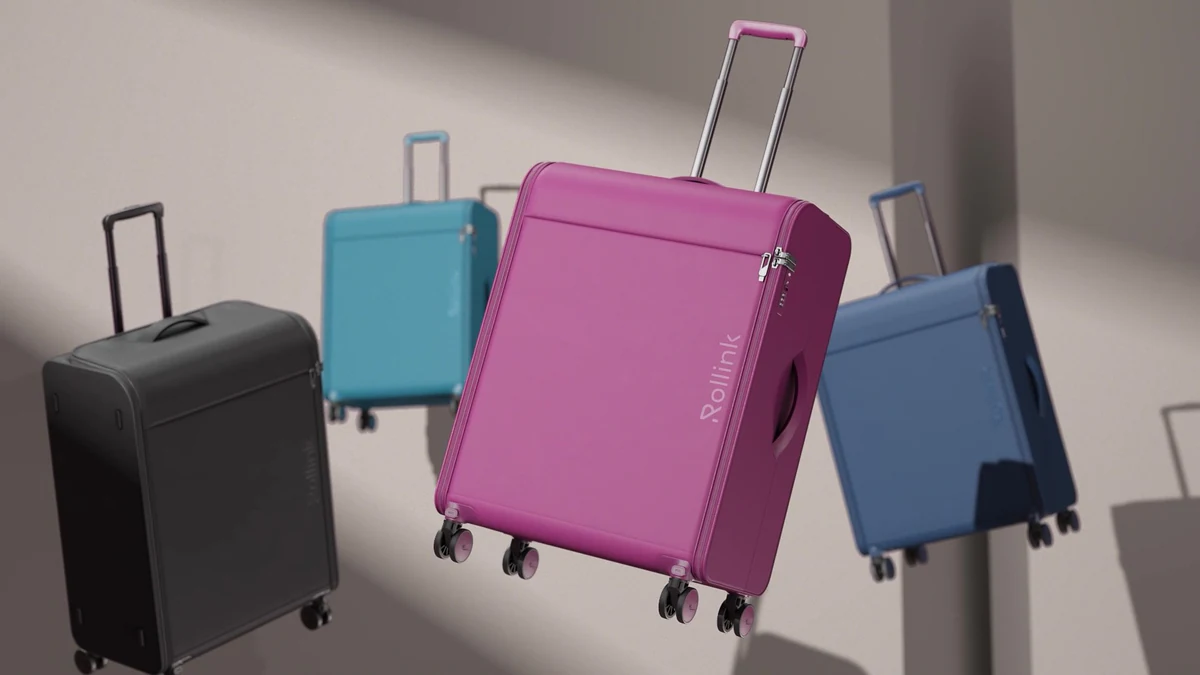
There is no more time for boring and uninteresting presentations about products. Rather, we should welcome animated colourways which present our products in a completely different way. Your viewers will be fascinated by them; they won’t be able to take their eyes off those things that you create anymore. Such kind of animation attracts attention, appeals to feelings and provokes interest thus making your advertisement campaign on social media even more successful than ever before.

\n

These animations are not only visually stunning but also very practical. The simplicity of the process makes it cost-effective while retaining high quality standards. All you need to do is create a few 3D renders with post-production techniques added by professionals – and there you have it. Your products will become stars of any show; they will engage crowds like never before leaving unforgettable memories behind.

\n

\n

Product Turntables.

\n

Step into the world of product turntables—an indispensable tool for showcasing products in e-commerce settings with captivating simplicity. Imagine being able to present your products from every angle, offering your customers an immersive 360-degree perspective that surpasses the limitations of flat images.

\n

In the realm of online shopping, where visual representation is paramount, static images often fall short in capturing the true essence of a product. Enter the dynamic realm of turntable product animations. With a smooth rotation, these animations effortlessly guide the viewer through a comprehensive visual experience, revealing every curve, detail, and nuance of your product.

\n

\n

Product Instructional Animations.

\n

Instructional animations are like super helpful 3D videos that teach you how to do stuff. They’re like having a really cool teacher right on your screen. These 3D videos show you step-by-step how to do things, like putting together furniture, using machines, or learning how to use a new computer program. They make learning easy and fun by showing you exactly what to do, just like magic.

\n

\n

Exploded Animations.

\n

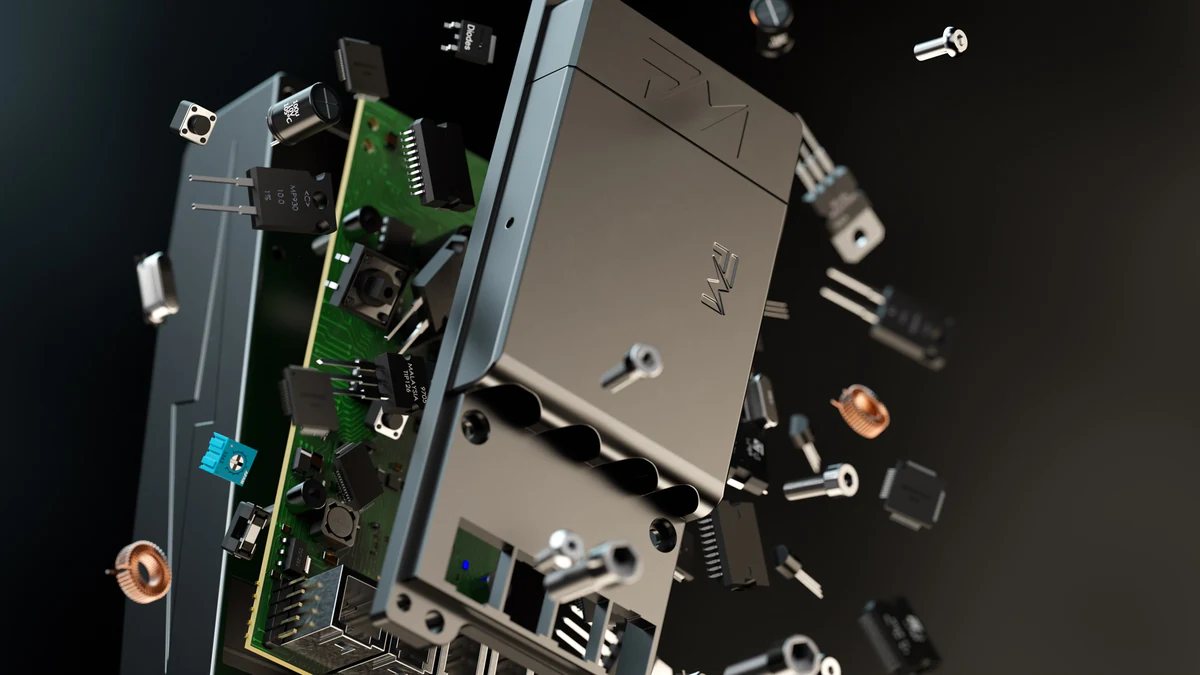
Imagine you’re looking at an excellent animation that shows all the parts of a toy or a gadget spread out as they explode. These product animation videos are called exploded animations, and they’re super interesting because they let you see inside stuff that you usually can’t see. An engine animation is a great example of something that would benefit from exploding 3D videos.

\n

Usually, you only see the outside of things. Still, with exploded view animations, you can see all the little pieces that make up a product and how they fit together. It’s like taking a journey through the insides of something. These animations are like magic pictures that help you understand how things work, showing how each part helps make the product excellent. They make learning about stuff fun and easy.

\n

\n

Infographic Animations.

\n

Imagine looking at an astounding picture that tells you all about a toy or a gadget. These pictures are called infographic animations, and they’re like magic. They show all the essential details and benefits of a product in a fun and easy way.

\n

You might see them on places like Amazon when you’re shopping online. They’re like super pictures that make products look even better.\nInfographic animations use excellent photographs and words to tell you everything you need to know about a product. They’re like a secret weapon for getting people excited about buying stuff.

\n

\n

Teaser Product Animations.

\n

Imagine watching an excellent preview of a new toy or game before it comes out. That’s what teaser animations are. They’re like sneak peeks that get everyone excited about a new product.

\n

Tech companies use these unique animations to show off the best parts of their new gadgets or toys. They’re super detailed and make you curious about what the product can do.

\n

Teaser animations are like magic because they make you want to see the product yourself. They use fantastic pictures and sounds to excite you and want to try the new stuff.

\n
\"Thomas

Written by

Thomas Howcroft

Founder | Director

Engineering-led realism · Campaign-ready visuals · Senior client partner

Working on a project?

Tell us about it.

Thomas or Alex replies personally — usually within one working day.

","meta":{"status":200,"title":"What is 3D Product Animation? | XO3D"}}