
3D Rendering
Learn about rendering from experts in the field.
WHAT IS 3D RENDERING?
Definition.
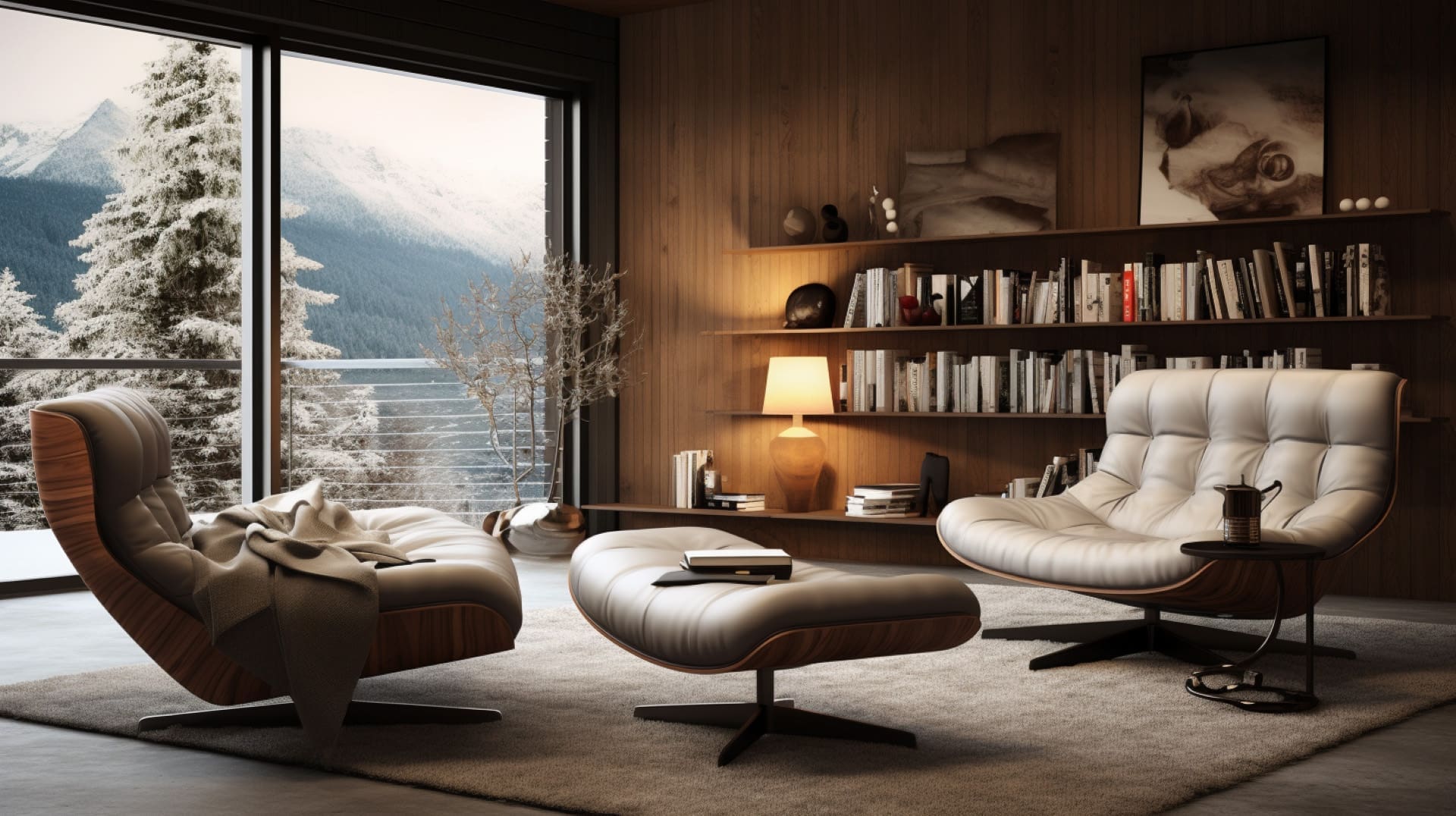
Put simply, 3D rendering, also known as image processing or CGI rendering, is the use of computer rendering programs to create CGI (computer-generated imagery). These images can be photorealistic or non-photorealistic. It is a creative process where 3D artists use computer graphics to convert 3D models into images. These images can be used for many reasons, mostly as marketing assets for advertising campaigns. They may include photorealistic or non-photorealistic images. It is the final process of creating the actual 2D image or animation, which may be used for various things, from conceptualisation to marketing.
In comparison, you can get the same results as taking a picture or video in real life. The difference is that the output will be created digitally. It is a powerful tool with more flexibility than professional photography or videography.
THE HISTORY OF 3D
History.
The history of 3D CGI rendering is a fascinating journey with significant advancements. Here’s a brief overview of the history of 3D:
Early beginnings (1960s – 1970s)
People started making 3D graphics when computers began. They were testing basic 3D images on big computers. They made simple wireframe models back then.
Introduction of ray tracing (1980s)
In the 1980s, there was a big step forward in 3D graphics. They started using ray tracing, which made lighting and shading look more authentic. But it needed a lot of computer power and was used primarily for science and research.
Emergence of 3D graphics cards (1990s)
The 1990s marked a turning point with the emergence of dedicated 3D graphics cards. Companies like NVIDIA and ATI (now part of AMD) began producing graphics hardware that accelerated 3D rendering, making it accessible to consumers and gaming enthusiasts.
The rise of 3D animation (late 1990s – early 2000s)
The late 1990s and early 2000s witnessed a boom in 3D animation in movies and video games. Pixar’s “Toy Story” in 1995 was a ground breaking example of computer-generated 3D animation.
GPU advancements (2000s – present)
As Graphics Processing Units (GPUs) improved, they made it possible to show 3D images instantly in video games and interactive stuff. This time also saw more use of 3D in things like designing buildings, products, and virtual reality.
Global impact (present)
Nowadays, 3D render service is vital in many industries like entertainment, advertising, architecture, and healthcare. It helps show and explain tricky ideas and designs.
Ray tracing renaissance (present)
Since hardware-accelerated ray tracing came along for GPUs, it became popular even though it used to need lots of computer power. Now, we get more real-looking and superb 3D graphics because of it.
At XO3D, we’re thrilled to be part of this always-changing field. We use the newest tech and methods to make fantastic 3D pictures for businesses. The story of 3D graphics shows how we’re always trying to make things look more accurate and better with computers.
HOW CAN 3D RENDERING HELP YOU?
Advantages.
Tell the Story.
With our professional 3D render services, we offer the ability to bring any idea to life. From a vision in your mind. To a amazing, eye catching image. Whether it is from architecture to product. Anything can be imagined before they even exist.
Design the Idea.
Take your sketches from paper to 3D. As a professional 3D rendering company. We take your initial sketches and bring them to life in all their glory. With our expertise in creative 3D and visualisation we can change materials, colours, lighting and anything that needs tweaking before the idea is even released to the market. Bringing all of these together to get amazing imagery to get your idea ready for the market.
Enhance Visual Communication.
Likewise, with our 3D services, we create full marketing campaigns for your ideas. Our creative team is a one stop shop to bring your creations to the market, from animation to product images for online shops. Using the images we create you can take the competition by storm, using your images all over social media to create anticipation and drum up revenue via pre orders, before anything is produced.
WHAT ARE THE BENEFITS OF USING 3D RENDERING?
Benefits.
Gives Life
3D rendering brings life to flat drawings and 3D models. For example interior or exterior plans of buildings, looking at what a product may look like when it has been built or manufactured. You can maximise the design process of the space or project allowing your ideas to thrive through amazing visualisations.
Cuts Cost
Design costs can be cut. The design process usually involves multiple changes due to uncertainty of how something may look. With 3D rendering and 3D modelling the product or space can be visualised quickly and easily experimented on.
Speed
3D rendering accelerates the approval process. Design choices become much more clear. Leaving no room for miscommunication. Reducing the overall design time.
Communication
3D modeling and 3d rendering is an effective marketing tool for new and upcoming projects. Images are powerful in communicating and visualising future plans to investors. As a result, top home builders and designers use 3D rendering to sell homes and products. Before they are built or produced. Giving clients opportunity to change designs, colors, textures and size.
Marketing
If you are a architect, real estate agent, product designer or marketer. Marketing your new idea is much easier with 3d rendering. It helps to create enthusiasm around the future of the development and design process.
Feedback
You can use 3D rendering to publish ideas or future project development, design trends, and future building technology options to gain feedback from relevant parties.
WHERE ARE 3D RENDERS USED?
Examples.
Online Shops/e-commerce
The future we imagined is here and most of our shopping is now done online. To showcase products in a superior way over photography 3D rendered images is a must.
Social Media
With social media advertising, you can have consistent sales coming in from the first day your website is live. 3D rendering plays a huge part in catching a consumers eye while scrolling.
Television Adverts
If you have ever seen a Apple or Samsung advert on television, then you are looking at 3D rendered animations in their highest quality.
Websites
The shop front for many online business has to create impact for the viewer, otherwise the sale could be lost instantly. With the use of 3D rendering visually pleasing images can pull this off easily.
Billboards
Give your brand the attention it deserves with a dominating image. Create maximum impact with our 3D rendering services for billboard adverts.
Newspapers & Magazines
With the power of 3D rendering, stunning images can be used for print in magazines and newspapers.
WHO USES 3D RENDERING IN THEIR WORK?
Applications.
Manufacturers.
Use renders for presentations. Create these well before the final product is manufactured. Post these images on social media to start marketing and take pre-orders.
Designers.
Create 3D models and use high quality images to present your ideas well before they are built. Show various different concepts for one project and get it approved in less time.
Architects.
Help key decisions makers understand the ideas much easier and quicker through photo realistic images of 3d models.
Developers.
Use 3d renderings created from 3d models for advertising materials. To sell an idea or property well before it is complete. Show people around your project with the creation of 3d models where you can see exactly where everything will be.
3D RENDERING WORKFLOW
Execution.
STEP 1
3D Modelling
First of all, 3D art has to start off as a 3D model, these are represented by a series of geometrical shapes connected into a three dimensional space. There are different modelling software’s for the desired outcomes, but most software’s use polygonal modelling such as Rhinceros 3D, 3DS Max and Google SketchUp.
STEP 2
Lighting
Secondly, to give the model any real form, lighting must be introduced. The most basic form of a lighting setup is three point lighting where the method of a lighting uses three distinct light source positions to illuminate the subject or scene. The setup of the lights helps create different moods for the final image, and are usually played and tweaked throughout the process.
STEP 3
Texturing & Materials
At this stage, all the materials of the 3D scene or subject are created using different camera positions. They are created by using multiple different images in layers that create different types of bumps, reflections, roughness and more. The materials have to be tailored to meet the desired results, while working with the lighting created in the previous step to bring out the perfect reflections and shadows to give depth to the image. At the end of this stage the render engine is set off, and the computer creates a raw image.
STEP 4
Post Production
In addition to the modelling and rendering software’s there are also post production software, such as Photoshop. This is where the images that have been outputted from the render engine are all brought together, layered and tweaked to create the final photo realistic outcome.
WHAT TYPES OF FILES ARE NEEDED?
Examples.
To kickstart a project, you’ll need specific types of files that provide the necessary information for our team at XO3D to work on your project effectively. Here are the key file types that may be required:
3D model files
These are the core of any 3D rendering project. Although model files can be built by the 3D rendering firm having your CAD model ready is a great help to begin the project. Common 3D model file formats include:
OBJ: A versatile and widely used format.
FBX: Used for 3D models and animations, especially in the gaming industry.
STL: Often used for 3D printing projects.
3DS: Commonly used in older 3D modeling software.
BLEND: Specifically for Blender software.
Texture maps
These files provide details like colour, texture, and surface characteristics for your 3D model. These files do not need to be supplied by the client and are sourced by the 3D rendering company. These are used to make photorealistic renderings. Common texture map file types include:
JPG: For standard images.
PNG: Supports transparency and is commonly used for textures.
TGA: Offers high-quality image data.
Reference images
Providing reference images or concept art that showcases the desired look and feel of the final render can be immensely helpful.
Scene files
If your project involves complex scenes with multiple objects, lights, and camera setups, scene files specific to your 3D software (e.g., .BLEND, .MAX, .MA) can be essential.
CAD files (if applicable)
For architectural or product rendering, Computer-Aided Design (CAD) files in formats like .DWG or .STEP may be required as a basis for creating 3D models.
Animation files (if applicable)
If your project involves animations, you’ll need animation files in formats like .FBX, .DAE, or others, depending on your software and requirements.
Material descriptions
Detailed information about the materials and their properties can be helpful. This might include specifications for textures, roughness, reflectivity, and more.
Although none of these are essential to begin a project, providing these files allows us at XO3D to understand your project’s scope and requirements, ensuring we can create the stunning 3D renders you envision. Additionally, clear communication about your project goals and any specific preferences will further enhance the quality of the final results.
HOW LONG DOES A 3D RENDERING PROJECT TAKE?
Process.
The duration of a 3D project can vary significantly depending on several factors. At XO3D, we strive to provide efficient and high-quality rendering services. However, the timeline for a project can be influenced by the following key factors:
Complexity of the project
Making detailed 3D stuff like models, scenes, or animations takes longer to do and show.
Resolution and quality
Using better picture quality and making things more straightforward can take longer to show. It might take a while if you want super clear or real-looking stuff.
Project scope
The more scenes, objects, or animations you have in your project, the more time it will take. If your project is vast, it’ll take longer to finish.
Hardware and software
The speed and quality of your computer and the software you render are critical. If you have a fast CPU, a good GPU, and efficient software, it can make rendering happen faster.
Rendering technique
How you render things can affect how long it takes. Real-time rendering is quicker than ray tracing, which looks more real but can take longer.
Team experience
An experienced and skilled team, like ours at XO3D, can work more efficiently, potentially reducing project timelines.
Client revisions
The number of revisions and feedback cycles can extend the project timeline. Clear and concise feedback can help streamline this process.
Deadlines
Urgent projects with tight deadlines may require additional resources to meet the timeline.
Here’s a rough idea: a simple project with just one thing to show might take a few days to a week. But it could take weeks or even months if it’s more complicated with many scenes, animations, or detailed models.
For a precise estimate, it’s best to talk to the 3D render service you’ve chosen. Please share all the details about your project, what you need, and when you need it. Then, they can give you a timeline that precisely fits your needs.
BOTTOM OF THE BARREL
£50 to £200
BASIC 3D RENDERINGS
£200 to £400
MIDDLE-WEIGHT 3D RENDERINGS
£400 to 1500
HIGH-END 3D RENDERINGS
£1500 to £10 000
HOW MUCH DO 3D RENDERINGS COST?
Costing.
The price of a 3D render depends mainly on what is involved in the image. For example, there could be a small product or, in contrast, a large building. There is no set price for an image, so all our quotes are tailored to each project. We are creating renders used to be an expensive and time-consuming process which was only viable for large development companies. Because of technological advancements in recent years, home renders have become accessible to the average consumer. We have split them into 4 Tiers.
The prices below are generalised, and they do depend on the project. However, these are guidelines for clients new to the 3D rendering field.
WHAT ARE THE DIFFERENT TYPES OF 3D RENDERING?
Examples.
Architectural renderings are super common. They're used by architects, project managers, property developers, and investors. These images help people see what a new building will look like before it's built. They're also handy for showing to investors to secure funding. In real estate, these 3D images are crucial for marketing and selling properties. They make it easy to decide on designs before starting construction. This way, you can try out different looks for the building and make sure everything looks great before it's actually built.
At XO3D, we use advanced 3D software to create realistic images of interior designs. Whether you have sketches, plans, or mood boards, we bring your ideas to life. Working closely with interior designers, we make sure to deliver exactly what you want.
Product rendering is perfect to show off your ideas. From sketch to production. 3d rendering can help you see what their products will look like with different colours and materials. Product rendering is about much more than just making something look good. It is about design, process, business, and lifestyle. Now more than ever, our artists are using product rendering and 3D – visualisation to give us real reasons to open our wallets.
At XO3D, we offer jewellery rendering services that help designers bring their ideas to life quickly and affordably. With our team of CGI artists, we create realistic jewellery images. We are using tailored lighting, materials, and camera angles. We work closely with designers to capture their intended style and design.
3D furniture rendering is the best and fastest way to get amazing eye catching images for your catalogue, using these images in a much more effective way for your marketing campaign. 3D Rendering is so much faster than photography that it makes it much more cheaper and efficient. Furniture giants such as IKEA are already harnessing the power of 3D rendering. Its time for you to as well!
SOME OF THE TOP GENERAL 3D SOFTWARES
Software.
When it comes to 3D software, there are many choices out there. At XO3D, we use different tools to make unique 3D assets. Here are some popular ones:
Autodesk Maya
Maya is versatile and widely used 3D software. It is used in the film and gaming industries. It offers powerful modelling, sculpting, and animation tools.
Autodesk 3ds Max
3DS Max is another popular 3D product, particularly in arch vis and design. It’s known for its robust modelling and rendering abilities.
Blender
Blender is a free, open-source 3D modelling software. It’s an excellent choice for beginners and professionals. It offers modelling, sculpting, animation, and rendering features.
Cinema 4D
Motion graphics, visual effects, and product design commonly use Cinema 4D due to its easy-to-use interface. It comes with solid 3D modelling and animation tools.
ZBrush
ZBrush is primarily a digital sculpting software for creating highly detailed 3D models. Artists working on characters and creatures for games and movies favour this approach.
SketchUp
SketchUp is famous for interior design. It’s user-friendly and excels at creating 3D models of buildings and interior spaces.
Rhino
Rhino, or Rhinoceros, is a 3D modelling software widely used in industrial and jewellery design. It focuses on creating precise and complex 3D models.
Houdini
Houdini is known for its procedural and node-based approach to 3D. Visual effects and simulations commonly use it.
SolidWorks
Parametric 3D modelling software is what SolidWorks is. Mechanical and product design primarily use it. Known for its precision and engineering-focused tools.
Tinkercad
Tinkercad is a beginner-friendly, web-based 3D tool. Suitable for academic purposes and simple 3D design projects.
The software you pick depends on what you’re doing. Whether making models for animation, gaming, architecture, or product design, each software has strengths, so choosing the one that fits your project and your team’s skills is essential. At XO3D, we’re familiar with lots of software and can pick the perfect one for your project.
TOP 3D RENDERING SOFTWARES
Applications.
Choosing the right software depends on your project needs. At XO3D, we know the importance of picking the best one. Here are some top options, each good for different things:
Blender Cycles
It’s accessible, versatile, and user-friendly, great for various projects.
V-Ray
Known for realistic rendering, it’s powerful and can work with different 3D software.
Arnold
Popular for its natural lighting, often used with Maya.
Redshift
Fast and efficient, perfect for high-quality renders in a hurry.
KeyShot
Easy to use with real-time rendering, perfect for product design.
Octane Render
Fast and GPU-based, great for quick, high-quality renders.
Maxwell Render
Focuses on realism and accurate lighting, ideal for architecture and product design.
The best one depends on your project and budget. Professionals have their favourites, so consider what suits your needs and skills best.
CAREERS IN 3D RENDERING
Opportunity.
3D Artist/Modeler
They make 3D stuff like objects and characters.
3D Animator
They make 3D models move realistically.
3D Lighting Artist
They set up lights in 3D scenes.
3D Texture Artist
They make 3D things look real with textures.
3D Character Artist
They focus on making detailed characters.
Architectural Visualization Artist
They create 3D images of buildings before they’re built.
Product Visualization Artist
They make 3D images of products for marketing.
Visual Effects (VFX) Artist
They create cool effects for movies and TV.
Technical Artist
They make sure 3D stuff works well in games and software.
3D Generalist
They can do lots of different 3D tasks.
3D Rendering Software Developer
They make and update 3D software.
3D Rendering Supervisor
They manage 3D projects in studios.
Storyboard Artist
They plan out scenes visually for 3D projects.
Art Director
They lead and make sure 3D projects look good.
Freelance 3D Artists
They work on different projects for different clients.
These jobs are in animation, gaming, architecture, advertising, and more. What you choose depends on what you like and what you are good at in 3D.
FREQUENTLY ASKED QUESTIONS
FAQ.
What is 3D visualisation?
3D rendering is a creative process that uses computer graphics to convert 3D models into engaging images. It may include photo realistic or non photo realistic images. It is the final process of creating the actual 2D image or animation.
How much does 3D rendering cost?
3D rendering can range from £50 to £10 000 per image, due to this, 3D rendering is a very confusing space because its difficult for clients to understand why there is such a huge price range for a image.
How long does 3D rendering take?
Usually images can be turned around in less than a week. Images can be done in 24 hours, depending on the project size it could take longer.
What is a photorealistic rendering?
A photorealistic rendering is a 3D rendering that is life like. It is a style of 3D rendering that allows clients to have a image that looks as good or better than a camera could take. Photorealistic images are created from 3D models.
What is a 3D image render?
A 3D image render is a digital picture created by software to look like a realistic or stylized scene or object. The process starts with building a 3D model, adding materials and textures, and setting up lights and camera angles. Render engines like V-Ray, Blender’s Cycles, or Arnold then calculate how light interacts with the surfaces, creating effects like reflections and shadows to make the image look lifelike. This technique is used in many areas, from architectural and product visualization to character design and animations, allowing artists to produce visually impressive, detailed images.
What are the top 3D rendering terms?
Here are 30 important 3D rendering terms to be aware of:
3D Rendering: The process of converting 3D models into 2D images or animations.
Ray Tracing: A rendering technique that simulates the path of light rays for realistic lighting and reflections.
Polygon: A flat, two-dimensional shape used to create 3D objects.
Texture Mapping: Applying 2D images to 3D models to mimic materials and surfaces.
Shader: A program defining how 3D object surfaces interact with light.
Ambient Occlusion: A technique simulating soft shadows and shading in crevices.
Anti-Aliasing: Reducing jagged edges in images for smoother rendering.
Ray Depth: The number of light bounces in a scene.
Depth of Field (DOF): Blurring distant or close objects to focus on a subject.
Render Farm: A cluster of computers for distributed rendering.
Frames Per Second (FPS): The number of animation frames displayed per second.
Global Illumination: Simulating indirect lighting effects.
Texture Resolution: The size and quality of texture maps.
Rendering Engine: Software or algorithm for rendering.
Rigging: Adding a skeleton to a 3D model for animation.
UV Mapping: Unwrapping a 3D model for applying textures.
Normal Map: A texture used to fake high-resolution surface details.
Specular Map: Controls the shininess of a surface.
Bump Map: Simulates surface imperfections.
Volumetric Lighting: Rendering realistic light beams and fog.
HDR (High Dynamic Range): Capturing and rendering a wide range of light intensities.
Alpha Channel: A transparency channel in images.
Keyframe: A frame defining an animation’s significant pose or change.
Motion Blur: Blurring objects in motion for realism.
Texture Filtering: Smoothing textures for better rendering quality.
Octree: A data structure for managing 3D scenes.
Caustics: Light patterns created by reflections and refractions.
Tessellation: Increasing polygon density for smoother surfaces.
Subdivision Surface: A technique for smoothing and refining 3D models.
Depth Map: A 2D image representing scene depth for post-processing effects.
These terms are fundamental in the world of 3D rendering and are essential for understanding and discussing the various aspects of creating 3D visuals and animations.