
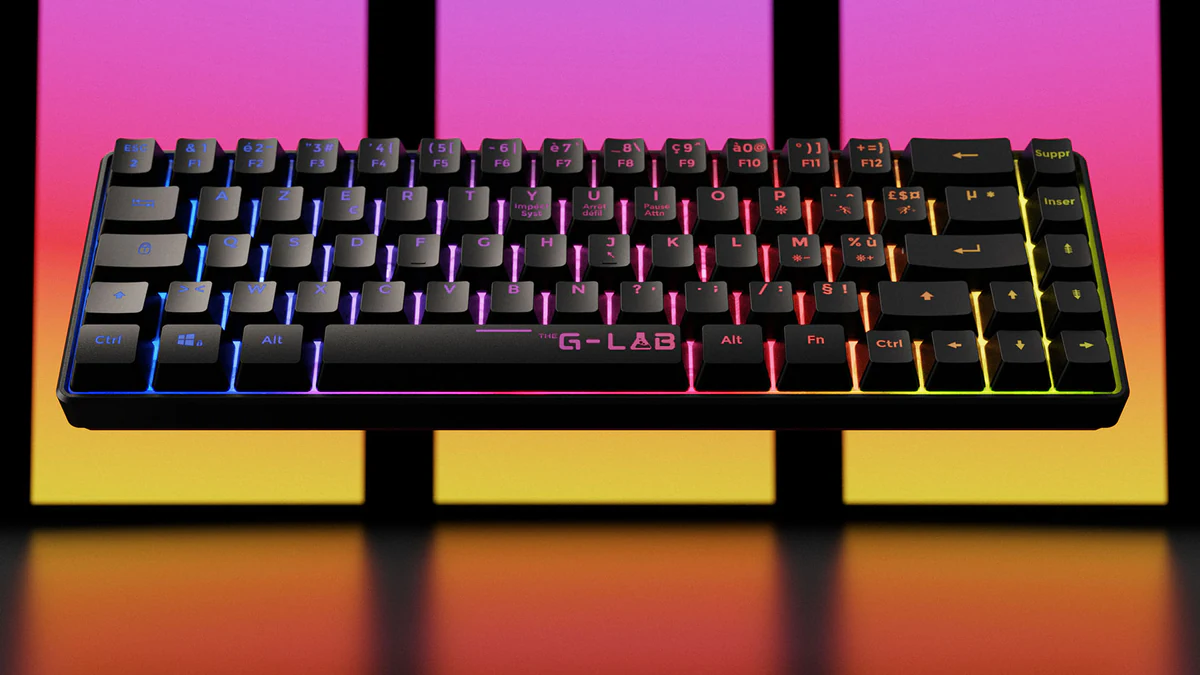
Service
Scroll Animation.
XO3D creates scroll-driven 3D animation that tells your product story frame by frame as visitors scroll.
Start a conversationUpdated
Selected clients








Sony work via ImageNova. Ferrari and Burberry work via KCD.
Scroll-driven product storytelling.
Scroll animation is 3D product motion tied to the visitor's scroll position, so a launch page reveals the product in a controlled sequence rather than playing a film the visitor has to start. XO3D, a director-led product CGI studio in Stevenage, UK, builds these experiences from CAD, mapping rotation, feature reveals, exploded views and chapter transitions to deliberate points in the page. The result is a page that explains a technical product in the order it should be understood. Scroll points, transitions and interactions are agreed before development, and the build is previewed at each milestone, including mobile behaviour. Delivery uses image sequences, WebGL or a hybrid approach, chosen against an agreed performance budget and tested across the supported device range, because a launch page that stalls on a phone loses the visitor before the product lands.
Why it works
Why brands use scroll animation.
Direct the product story.
Sequence the product, message and interaction so each movement has a clear communication role.
Reveal complexity.
Mechanisms, assembly logic and internal components can be revealed in sequence as the visitor scrolls.
Mobile-first.
Designed for touch and tested across the agreed mobile and desktop device range.
Performance-led.
Image sequences and WebGL, chosen to fit your performance target.
What we deliver
Scope the right outputs.
Product Reveal Scroll
Product motion and feature reveals mapped to the structure of a launch landing page.
Exploded View Scroll
The product separates into components as the visitor scrolls, combining engineering communication with cinematic direction.
Process
Our scroll animation process.
- 01
Share the brief.
Send the product, the page context and the story you want to tell.
- 02
Define the experience.
We agree the scroll points, transitions and interactions before development starts.
- 03
Build and refine.
Preview at every milestone, animation, transitions, mobile behaviour.
- 04
Deliver and embed.
Drop into your existing site, image sequences, WebGL or hybrid.
Choose the useful interaction
Product rotation can be a film, a spin the visitor drags, or a sequence tied to scroll. Rotation is a treatment; scroll is one way to control it. Pick the control by what the visitor needs to do, not by which looks most advanced. Not every launch page needs interaction at all.
| Interaction | What the visitor controls | Question it helps answer | What it needs |
|---|---|---|---|
| Linear film | Play and pause | What is this product, and why does it matter? | A directed edit and a player or embed |
| Spin the visitor drags | The angle | What does it look like from every side? | A turntable image set or a real-time model, and a viewer |
| Sequence tied to page progress | The pace of a set story | How does it work, step by step? | Frames or a model mapped to page sections, and a developer to build it |
A film is covered on Product CGI Films, and a dragged spin or viewer on Product Interactives. For rotation and feature motion inside a wider film, see product animation.
Map the page before the frames
Plan the page first. Write each chapter as three things: what the page says at that point, what state the product is in, and what the visitor should be able to decide by the end of it. Only then plan frames. The strip below is a fictional example for an invented product, not client work.

| Chapter | Page message | Product state | Decision for the visitor |
|---|---|---|---|
| 1. Introduce | What the product is | Closed, front view | Is this relevant to me? |
| 2. Turn | The shape and the main feature | Three-quarter view | Does it fit my use? |
| 3. Open up | How it works inside | Layers separated | Do I trust how it is made? |
| 4. Decide | What to do next | Assembled again | Where do I go from here? |
Any geometry, internal part or claim shown in a chapter is reviewed by the product owner before frames are made.
Agree a performance budget
A scroll experience is only as good as the slowest device it must run on. Agree the budget in the brief, against the real page, and record it. Leave the numbers to your scope: frame counts and a fast desktop do not prove what happens on a phone. Use the record below and fill in each value with your developer.
| Item | What to agree | Agreed value |
|---|---|---|
| Supported devices and browsers | The oldest phone and browser versions it must work on | |
| First useful frame | How soon the first meaningful image appears | |
| Transferred bytes | The total the experience may download | |
| Decoded image memory | How much memory the frames may use once unpacked | |
| Loading strategy | What loads first, what loads later, and when | |
| Fallback | What a visitor sees if the experience cannot run |
Read the story with motion reduced
Some visitors switch on a reduced-motion setting, and some find scroll-linked movement uncomfortable. The page should still tell the whole story without it. Keep each chapter’s essential product information in a still frame and its text, and give a clear control for any movement that is not essential.
In the fictional example above, chapter three would become a single still of the separated layers with its caption. The visitor scrolls past it like normal text, and nothing they need is carried only by movement.
The W3C explains this in its note on animation from interactions. That success criterion is Level AAA and covers motion triggered by interaction. It is a reference for the brief, not a certification of any page. Keyboard, touch and normal scrolling are checked when the experience is built.
Who owns each layer
Agree the route first. On the integrations page we set out four: XO3D’s developers build it, your developers implement it, your platform vendor handles it, or your agency leads the wider build. Then name an owner for each layer below. Commerce, product data, CRM and reporting stay in your own systems. A scoped visual build is not a platform partnership or a managed service.
| Layer | Question to settle | Possible owners |
|---|---|---|
| Frames or model | Who makes and approves the visual source? | XO3D, with your product owner approving |
| Page build and scroll logic | Who writes the code that ties frames to the page? | XO3D’s developers, your developers or your agency |
| Hosting and deployment | Where does it run, and who puts it live? | Your site team, or XO3D where agreed |
| Approval | Who signs off each chapter and the final build? | Your named reviewers |
| Changes after launch | Who updates it when the product or page changes? | Agreed in the scope |
What reaches your developer
Agree the handover before production, so nothing is assumed. What is included depends on the route and on the platform receiving it, so the list is confirmed in the scope rather than promised for every site.
- Approved product states, named and versioned.
- The frames or model outputs, in the agreed formats.
- The page mapping: which frames belong to which chapter.
- A poster image and the static, reduced-motion version.
- Hosting notes, including any content security policy needs.
- The test notes: devices and browsers checked, and what was found.
FAQ
Common questions, answered.
Are scroll animations performant?
Can I embed in WordPress / Shopify / custom site?
How long does development take?
Is a product rotation the same as a scroll animation?
When does scrolling help a product page?
Who integrates the scroll experience into our site?
What happens when a visitor has reduced motion switched on?
What does the brief need to establish?
Other product services
There's more.
Your next project
Design the sequence for the page.
Define which product moment belongs at each stage of the page. Agree a mobile treatment, reduced-motion alternative and development handover before producing frame sequences.
A route to consider
Product CGI Films
A product film developed through creative treatment, storyboard, animatic, product review and final picture and sound.
Bring these three things.
- What should scrolling reveal?
- How should it behave on mobile?
- Who owns site integration and performance testing?
Start with an outline. We review the product, intended outputs and timing before agreeing the production scope.
About the studio
XO3D is a director-led product CGI studio. Founded by Thomas Howcroft in 2017 and incorporated as XO3D Ltd (UK Companies House 11876020) in 2019, when Alex Mann joined as co-founder. Based at the Business and Technology Centre in Stevenage, UK, with representation at 244 Fifth Avenue, New York. We work with tech, industrial and premium consumer brands on product films, launch stills and interactive experiences.