XO3D Studio · Service
Master Asset
Build.
Start with one product. XO3D builds the Master Asset to full production standard and directs one hero deliverable from it. The same standard as any other engagement, on a smaller surface area, and the first step of a route that goes somewhere rather than a minimum you have to clear.
The idea
Build it
once.
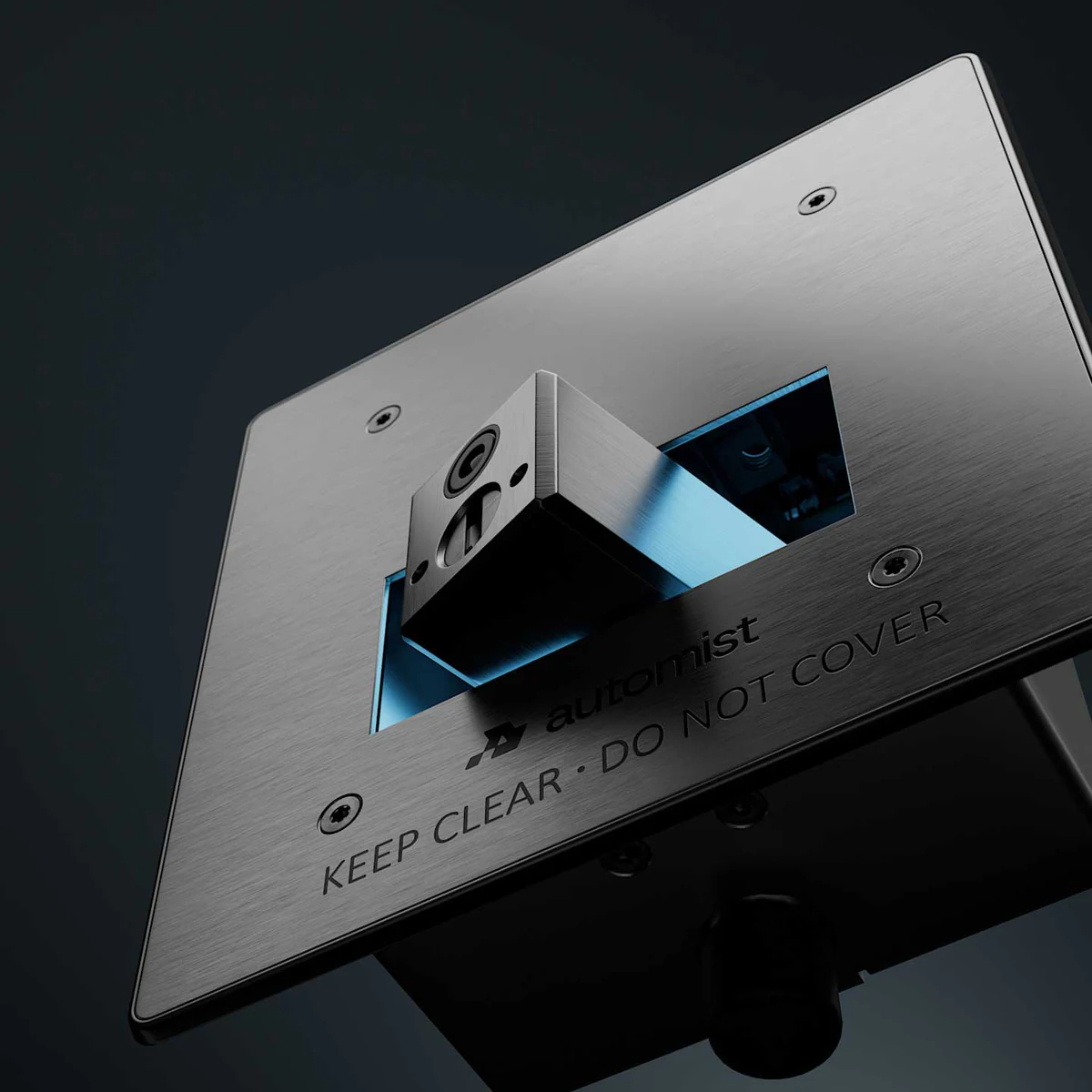
A Master Asset is one accurate 3D build, produced once to production standard, from which every deliverable is then made. Film, campaign stills, social formats, press, print, interactive and AR all come from the same source.
That is why a launch made this way looks like one thing across every channel instead of like five suppliers who never met. And it is why the second brief is a different conversation from the first: the model, the materials and the lighting already exist and are already approved, so the work is producing something new from a known asset rather than starting again. The product CGI lifecycle guide shows where that build can support the product before manufacture, at launch, in market and after the first campaign.
A Master Asset Build is the first one. One product, the build, and one deliverable directed properly.
The AUAR MicroFactory production shows how one scene can serve different outputs. Selected compositions from the animation became website stills, while additional shots explained the robot's use inside a factory. Each output still had a specific communication job. The Master Asset is the visual model, which is distinct from your CAD model and from a digital twin; what product CGI is covers the wider discipline.
How it works
One build,
every channel.
- Source Your CAD, drawings and finish specifications.
- Master Asset One accurate build, produced once to production standard.
- Every channel Launch film, Campaign stills, Social formats, Print and press, Interactive, Product AR, all from that same build.
An example
One source,
different jobs.
One approved scene can serve more than one output, but each output still has its own job. The AUAR MicroFactory production shows both sides of that.
Selected compositions from the AUAR animation also became website stills. Where a strong film composition already suited the website, it was reused. Where AUAR needed something the film did not show, such as how the robot is used inside a factory, a new shot was created around that requirement rather than forcing an existing frame to do it.
The lesson for a first build is to name the communication job of each output before deciding whether it can come from an existing composition. The source carries over. The framing, the story and the review do not always.
AUAR was a wider launch suite, not a Master Asset Build, so treat it as an example of how one source behaves rather than a list of what the first engagement includes. See the AUAR production decisions.
Review states
From source
to approved hero.
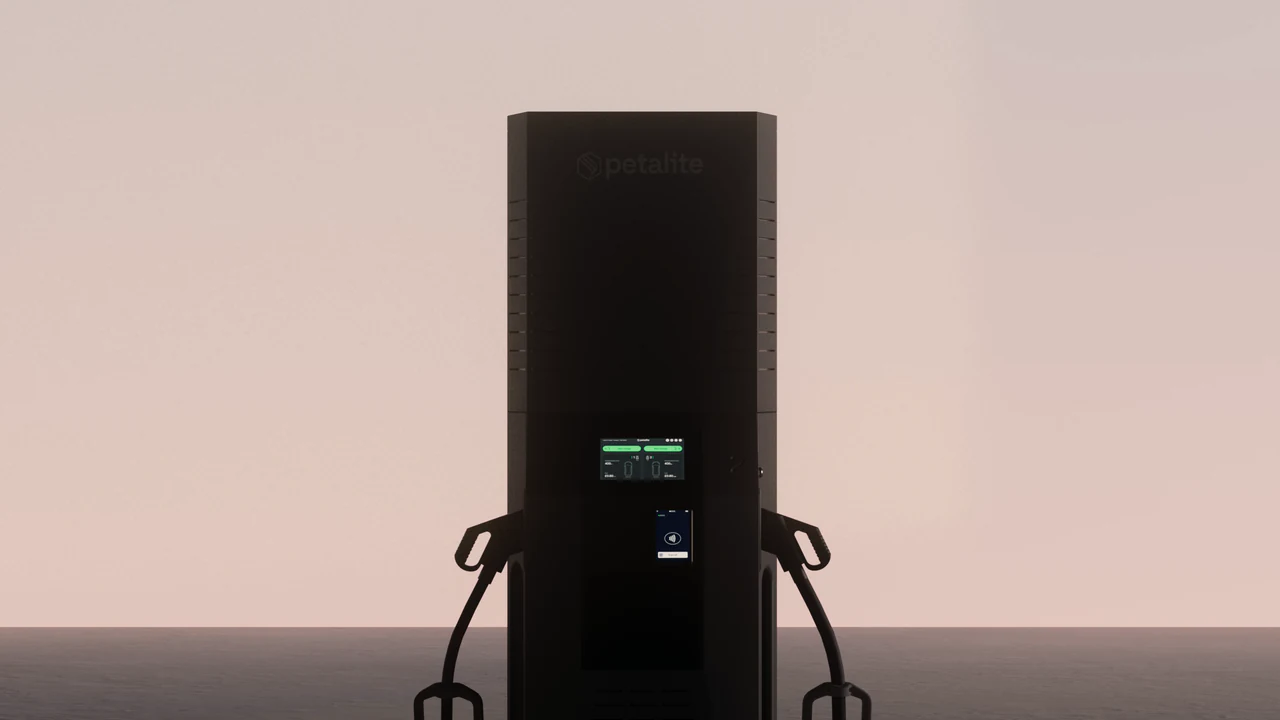
On Petalite’s EV charger, the supplied CAD was cleaned up and rebuilt for production first. The motion was then reviewed in greycard, so the team and the client could check how the charging cable sags and bends before the final look went in. Only then were materials and lighting added. The pair below is one frame at two of those stages. It shows what each stage is for; it does not record every change made between them. Read the Petalite case study.
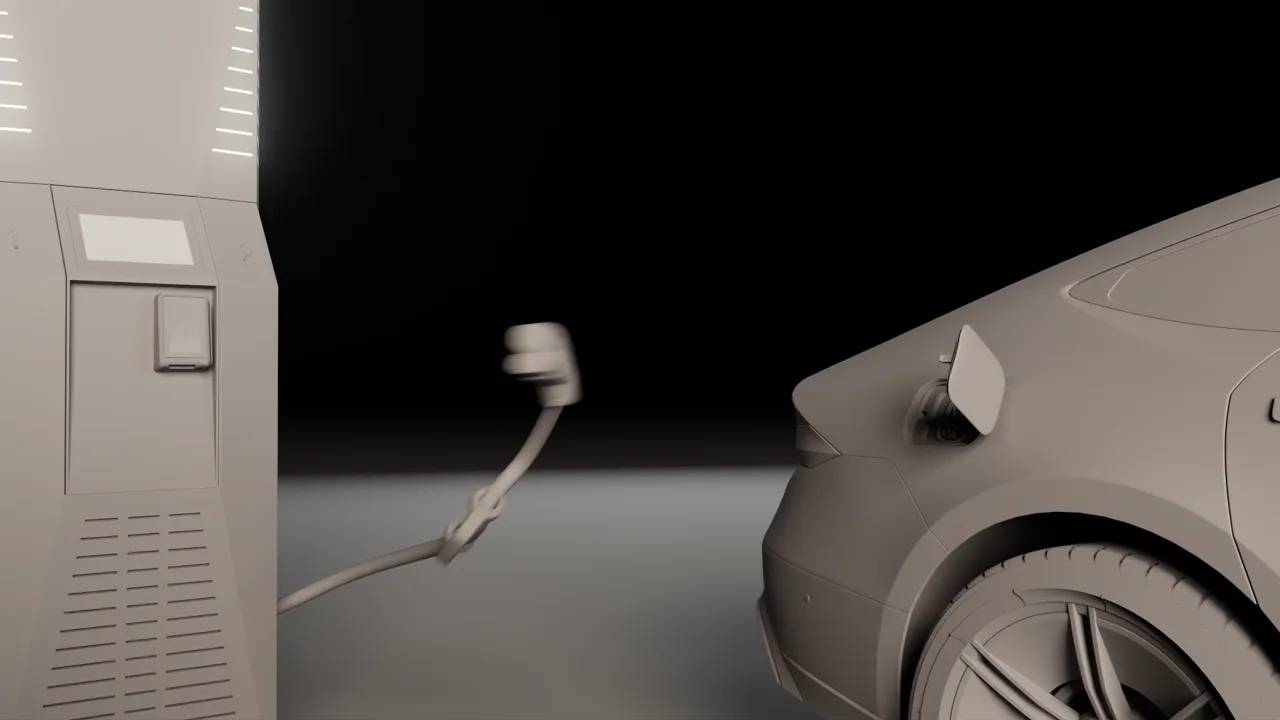
Review state: greycard. Motion and camera are checked in greycard, before materials and light. This is a review render, not a CAD export. 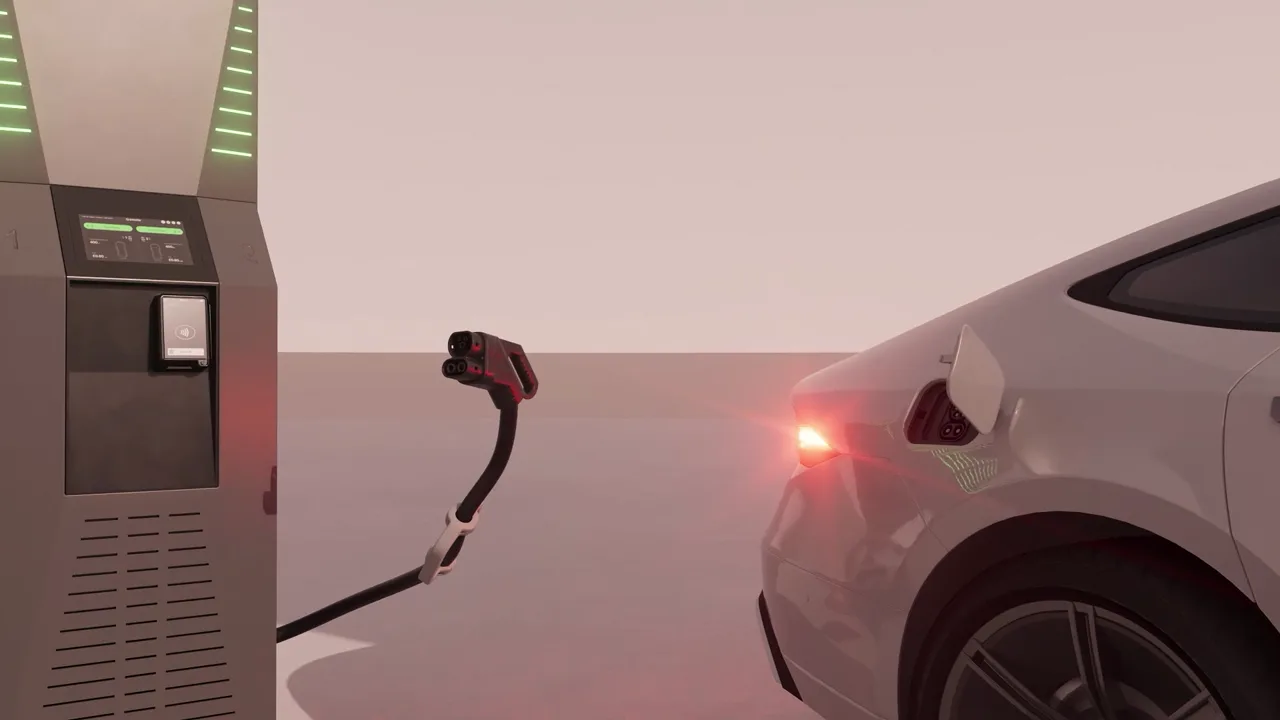
Final treatment. The matching frame from the finished clip, with materials, lighting and the charger screen in place.
What you get
What is
included.
- The Master Asset itself
- One product, modelled from your CAD, drawings or concept data and built to full production standard. Not a cut-down version of a proper build. The same asset a full launch suite would be made from. How our 3D modelling services build it.
- Creative direction
- A named Creative Director on the brief from the first conversation to the final frame. This is the part that does not scale down, because it is the reason to use this studio at all.
- Look development, signed off
- Materials reconstructed from physical reference, the lighting rig designed for your product, colour set to your specified value, and a full-resolution test frame on your actual product before production starts. What a look-development review decides.
- One directed hero deliverable
- Either a short product film or a stills set. Your choice, decided against what the launch moment actually needs rather than what is easiest to produce.
- The outputs and the model, yours
- On full payment you own the delivered work and the commissioned 3D model, for your own commercial use with no limit on medium, territory or duration.
The production standard, the review gates and the approval chain are the same as every other engagement. They are set out on how we work, and the accuracy standard behind them is product truth. To see one model carried across every finish, visit our 3D product visualisation studio.
Be clear about this
What is
not in it.
The surface area is smaller. Naming what that excludes is more useful than discovering it later.
- The full multi-format launch suite across film, stills, social, press and interactive.
- Colourway and variant production beyond the single build.
- Interactive viewers, configurators and product AR.
- Localisation and market-specific versioning.
None of it is lost. Each one is what the next step is for, and each one is produced from the Master Asset you already have rather than from a second build.
What is not smaller is the standard. There is no reduced-craft version of this: no library materials, no preset lighting, no junior pass-through, no absent director. If a brief needs the standard lowered to work commercially, we will say so and point you somewhere better suited. The honest list of what XO3D is not built for is on investment.
Where it leads
Three steps,
one asset.
Each step is produced from the same Master Asset. A later brief starts from the approved asset where it remains suitable. New outputs and any required changes are scoped around that foundation.
Choose the right starting point.
Start with 3D modelling for the product build when the brief begins with geometry, with a Master Asset Build for one product and one directed deliverable, or with a full launch visual suite when the launch needs several outputs at once.
| 3D modelling | Master Asset Build | Launch Visuals | |
|---|---|---|---|
| Immediate purpose | The product model, built from your CAD, drawings or reference | One product built once to full production standard, plus one directed hero deliverable | The complete launch suite produced from one Master Asset |
| Source review | The model is reviewed at grey card | Look development signed off on a full-resolution test frame before production | The same review gates and approval chain as every engagement |
| First output | The approved model in the formats agreed for stills, film, real-time and AR | The Master Asset and a short film or a stills set | Film, campaign stills, social formats, press and interactive in one visual language |
| Later use | The model is the base for any of the routes that follow | A later brief starts from the approved asset where it remains suitable | Ongoing work from an approved asset library, scoped separately |
| When it fits | The brief starts with the product geometry | One product and one launch moment, with room to build on the same asset | The launch needs several deliverables across several channels |
- STEP 01
Master Asset Build
One product. The Master Asset, built to production standard, plus one directed hero deliverable. The full standard on a smaller surface area.
Move on when the launch needs more than one deliverable, or a second channel needs the same product.
- STEP 02
Launch Visuals
The complete launch suite produced from that same Master Asset: film, campaign stills, social formats, press and interactive, all sharing one visual language.
Move on when the content need becomes continuous rather than tied to one release.
- STEP 03
Visual Content Partnership
Ongoing directed output across a product range, with the Master Asset library as the foundation and one creative direction holding it together.
The end state. We become the studio arm of your team rather than a supplier you re-brief.
Before you brief
What to
send.
A first build moves faster when these arrive together:
- The current product revision, and the CAD or drawings for it.
- Finish references: physical samples, colour values or photographs.
- The hero use: what the first deliverable has to do, and where it appears.
- Channels the product is likely to need later, even if they are not in this brief.
- Who reviews the product for technical accuracy.
- The launch date.
Our guides explain how to prepare CAD for CGI and how product truth is checked, and review gates and responsibilities sets out who approves what. For output sizes and formats, see the production specifications. The Labs tools below can help organise the files; they do not certify a CAD file or confirm it is ready for production.
Common questions
Straight
answers.
What is a Master Asset Build?
One product, built once to full production standard, plus one directed hero deliverable, either a short film or a stills set. It is the smallest engagement at which XO3D holds its full standard, and it is designed as the first step of a progression rather than as a minimum threshold. The build it produces is the same asset a complete launch suite would be made from, so a later brief starts from the build rather than from nothing.
What is included in the first engagement?
One product is built to production standard with a directed hero deliverable. Further outputs and uses are agreed separately around the approved Master Asset.
Why is it called a Master Asset Build rather than a pilot?
Because it is not a trial or a taster. A pilot implies provisional work that gets redone properly later. This produces the real asset, to the real standard, which every subsequent deliverable is then made from. The name says what you get rather than how tentative the commitment is.
What happens to the asset after the first deliverable?
You own the delivered work and the commissioned model. XO3D retains its production files, meaning the scene setups, rigs and render configurations, and archives the project indefinitely. That means a returning brief can build on models, materials and lighting that already exist and are already approved, which is a smaller scope of work than the original build.
Can we start here and move up later?
That is what it is for. The progression runs Master Asset Build, then Launch Visuals for a full launch suite from the same asset, then a Visual Content Partnership where the content need is continuous. Each step builds on the last, so a brand that starts here and moves up does not rebuild the asset.
Start with one product
Tell us which
one it is.
Send one product, the source files you have and the communication job of the first output: what it has to make a viewer understand. We will tell you whether this is the right way in, and say so plainly if it is not.
Start a conversationYour next project
Give the Master Asset a first destination.
Begin with one product and a directed hero output. Identify likely later uses so geometry, materials and organisation support them without promising that every future format is already included.
A route to consider
Master Asset Build
One product built to production standard, with materials, lighting and a directed hero deliverable. Further uses are scoped around that foundation.
Bring these three things.
- Which product revision is current?
- What is the first hero deliverable?
- Which later uses should inform the build?
Start with an outline. We review the product, intended outputs and timing before agreeing the production scope.