
XO3D Studio · Guide
When Do You Need Interactive 3D?
360° viewers, configurators, and AR models are not always the right answer. Here is when they are, and what each one requires.
The studio behind this guide
Where the studio boundary sits
A product needs interactive 3D when a buyer has to examine it, choose a permitted option or check its scale in their own space, rather than simply look at it; for many products a good stills set or a 360 viewer answers the question better. XO3D builds the 3D assets behind viewers, configurators and AR, and where it is the right route it builds the experience itself; a custom configurator can be handed over for you to host on your own website. Use a particular platform when your website requires it, and agree who owns the assets, integration and maintenance.
How XO3D compares to the other five supplier modelsInteractive 3D product experiences let a buyer examine a product from any angle, in any detail, without a photographer, a retouching round, or a new asset for each view. For some products and some contexts, this is transformative. For others, it is more production investment than the use case justifies. This guide explains the three types of interactive 3D, when each is worth commissioning, and what is involved in building each.
The core question to ask first: Does your buyer need to see the product from angles or in detail that a curated still image library does not provide? If the answer is yes, the product has surface detail that rewards exploration, or the buyer needs to see multiple configurations before committing, interactive 3D earns its investment. If the answer is no, a considered set of stills may answer the question more directly.

The three types
360° viewer, configurator, and AR model, what each one is.
Type 01
360° Product Viewer
A viewer lets a buyer rotate the product to inspect its shape and detail. A spin can use a sequence of rendered images; a real-time 3D viewer instead displays a model such as GLB. Those are different deliverables, so confirm the interaction and platform before choosing the format.
Best for: product pages where buyers need to inspect shape, controls or details from more than one angle.
Type 02
Product Configurator
A configurator lets the buyer switch between specified colours, materials or components. Its scope includes valid combinations, interface behaviour and the connection to the product information or purchase journey. The approved product model provides a common starting point for the visible variants.
Best for: products where meaningful choices need to be understood before enquiry or purchase.
Type 03
AR Model
An AR experience places a digital product in the camera view of a supported device. Correct model scale matters, and the file format, device support and fallback experience must be agreed. A conventional 3D view should remain available when AR cannot run.
Best for: furniture, appliances and other products where physical scale or placement informs the decision.
When is interactive 3D worth commissioning?
The decision framework.
| Context | 360° Viewer | Configurator | AR Model |
|---|---|---|---|
| Premium consumer product on Shopify | Strong case | If colourways are key | If size matters |
| Marketplace product listing | Check account eligibility | Check platform support | Check device and listing support |
| B2B product with complex spec | Enables examination | If configurations vary | Rarely applicable |
| Furniture or home goods | Useful | If finishes vary | Strong case, scale matters |
| FMCG / packaged goods | Low value add | Low value add | Low value add |
| Trade show or sales presentation | Enables stand exploration | If showing range | Useful demo tool |
Platform specifics
What each platform actually supports.
Shopify
Product media and theme support
Shopify accepts GLB and USDZ product models. Confirm that the active storefront theme supports 3D media and test the finished product page. A successful upload does not by itself establish the experience customers will see.
Marketplaces
Check the actual listing controls
Marketplace features can differ by account, category and market. Ask the listing owner to confirm current model or spin support and asset requirements before production. Do not assume that a website viewer can be placed inside an A+ or other marketplace content module.
Custom websites
Scope the viewer and integration
A custom viewer can use model-viewer or a framework such as Three.js. Agree who builds the interface, hosts the assets, maintains the integration and tests it on target devices. Include a useful static image and text description for visitors who cannot use the interaction.
iOS & Android AR
Quick Look and Scene Viewer
Apple Quick Look displays USDZ content on supported Apple devices. Google Scene Viewer uses glTF or GLB for Android 3D and AR experiences. Device and service requirements differ, so test both the AR launch and the fallback 3D or product-page experience.
Check the current requirements with the platform owner: Shopify product media and supported themes, Apple Quick Look and Google Scene Viewer. These references describe platform support; they do not certify a particular model or integration.
Weighing a configurator platform against a CGI studio? Read Thomas Howcroft's view on who builds the models and when a platform is the right call.
FAQ
Common questions, answered.
How does an interactive 3D viewer affect page load speed?
Is the interactive viewer a separate build from the still renders?
Does interactive 3D work on all devices?
Your next project
Give interaction a useful purpose.
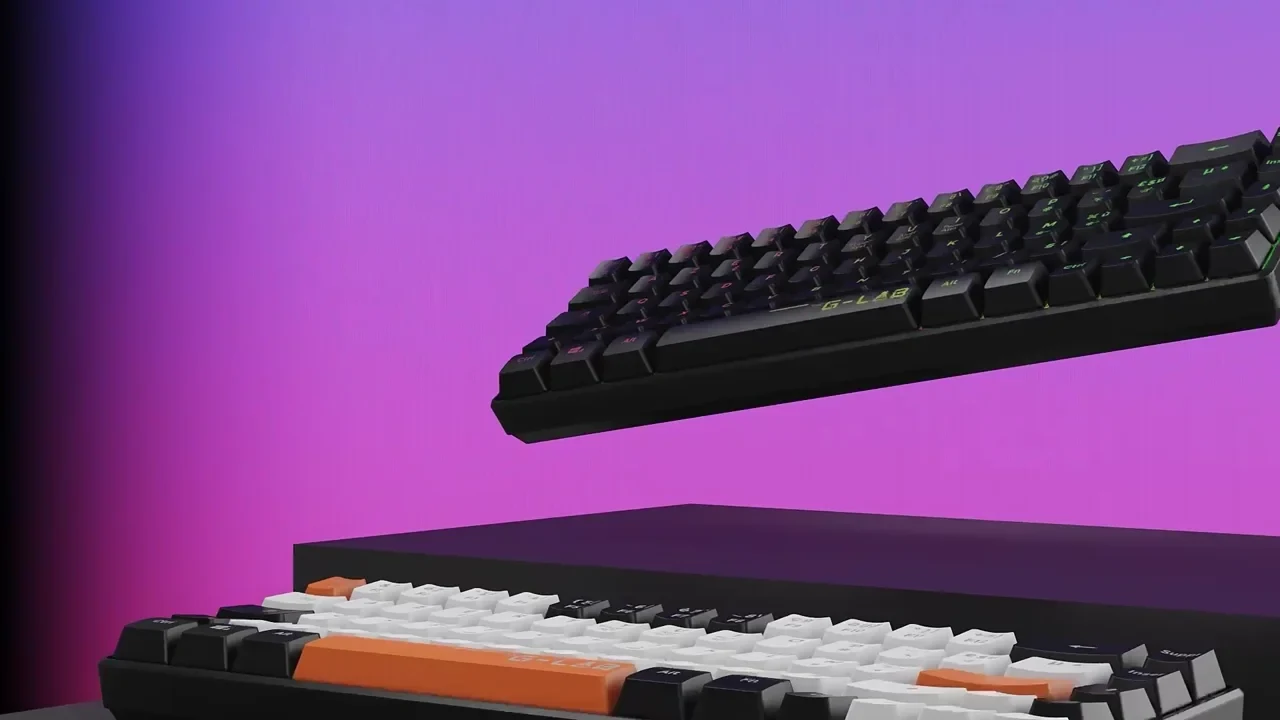
Rotation and option selection should answer questions a still or film cannot answer as well. Agree device support and a static fallback. The keyboard film below is a product-detail reference, not interactive-project proof.
A route to consider
Product interactives
A product experience scoped around a useful interaction, supported devices, model performance and a clear fallback.
Bring these three things.
- What will the visitor control?
- What decision does that interaction support?
- What should appear if the experience cannot load?
Start with an outline. We review the product, intended outputs and timing before agreeing the production scope.