
XO3D Studio · Use Case
CGI for Investor Presentations.
XO3D helps investors understand, and believe in, a product before it exists physically.
Use product CGI to explain an intended product, its scale and its mechanism when photographs cannot yet show them. Identify what is built, what is proposed and which source revision the visuals represent. Review the product claims before finishing the images. A convincing visual supports the explanation; it does not demonstrate a working product or investment performance.
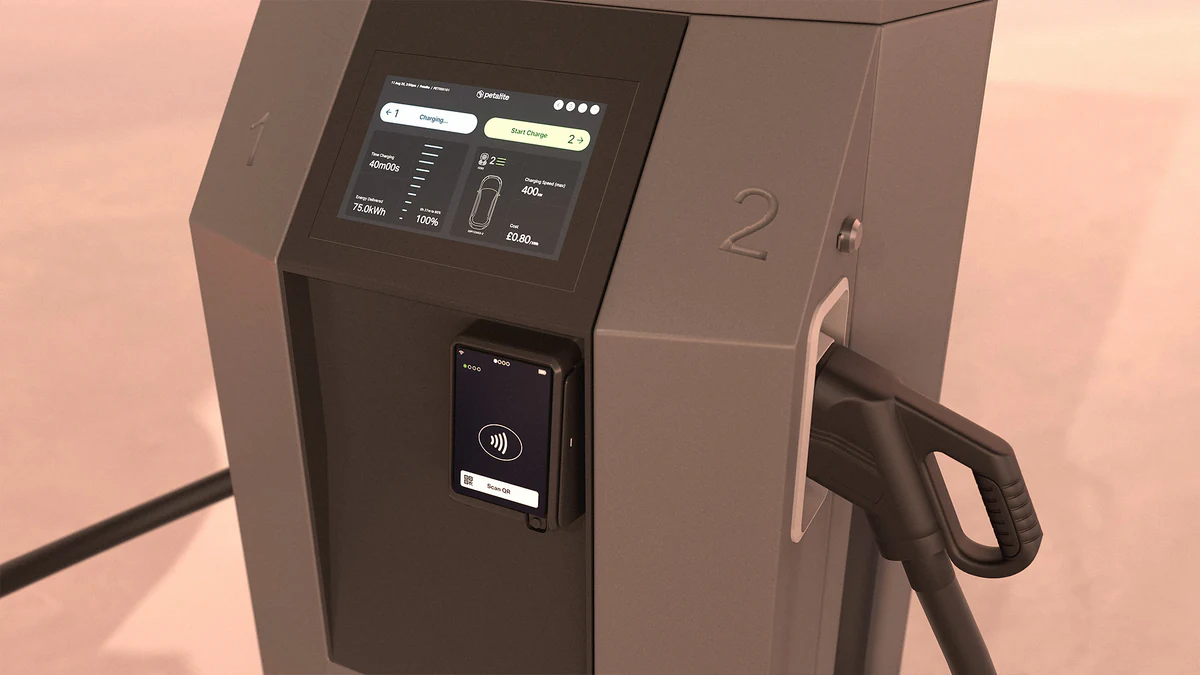
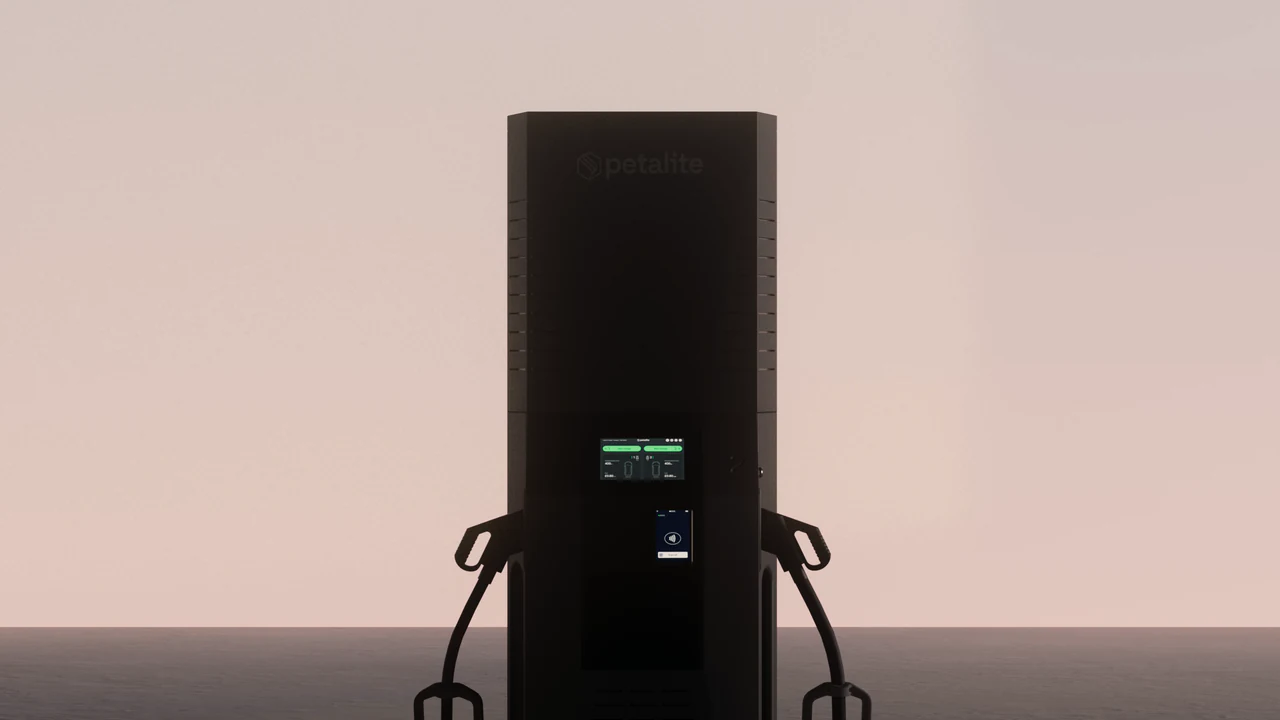
One published example is Petalite's 1MW EV charging system. XO3D built the CGI from Petalite's evolving CAD and delivered an investor-ready suite of films and stills, made to explain function, scale and modular logic to global stakeholders.

What investor CGI looks like
How investor-grade visuals differ from standard marketing CGI.
Three things are agreed for each project: which source the visuals are built from, and who reviews it; where the studio is interpreting, such as a finish with no physical sample; and which product claims the visuals may support. These are questions to settle for your project, not a fixed gate every commission has used.
Technical Credibility
Accuracy your technical reviewers can check
Investor audiences may include technical advisers. Decide who, inside your team or outside it, should review the visuals for dimensional accuracy and engineering plausibility, and build that review into the schedule. A reviewed product description is not the same as an independent engineering analysis.
Scale Communication
Showing scale and setting
Investor CGI often shows a product at its real scale and in the setting it is meant for, installed infrastructure rather than isolated product shots, operational contexts rather than studio backgrounds. This is a different brief to consumer marketing CGI.
Mechanism Comprehension
Explaining complex technology clearly
Mechanism animations that show how a technology works are a core investor CGI deliverable. The animation must be technically correct, but it must also be comprehensible to a non-technical institutional investor without oversimplifying to the point of misrepresentation.
Pre-Manufacture Production
Ready before manufacturing begins
Most investor CGI briefs involve products that don't exist physically yet. Working from CAD data and engineering specifications, XO3D can build the visuals before manufacture. The process is set out on our page on visualisation before manufacture.
Featured work
Case Study · Investor-ready CGI
Petalite 1MW EV charging system
XO3D built Petalite's investor-ready suite from evolving CAD: two 4K engineering animations, two 4K explainer animations, an HD homepage animation, six 6K lifestyle stills and seven 4K studio renders. The films explain function, scale and modular logic for global stakeholders, and the stills were supplied ready for product pages, investor decks and stakeholder presentations.
See the Petalite case studyA documented example
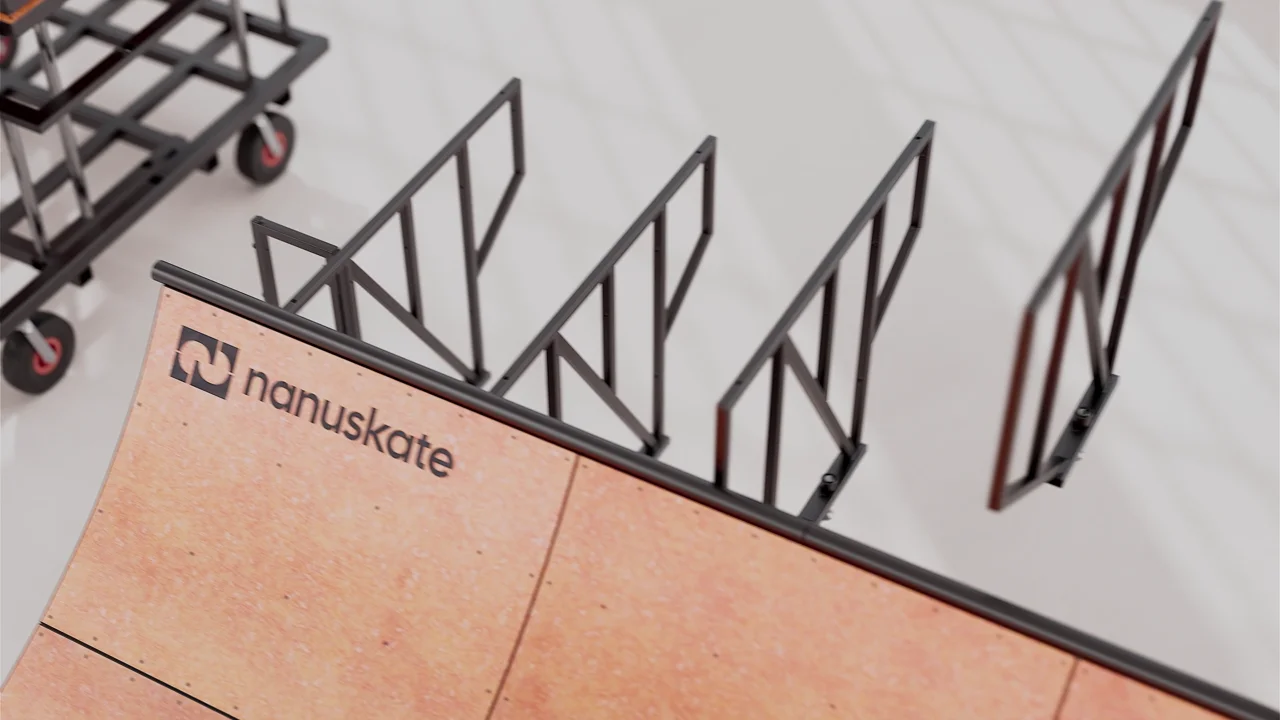
Nanuskate: explain how the parts connect.
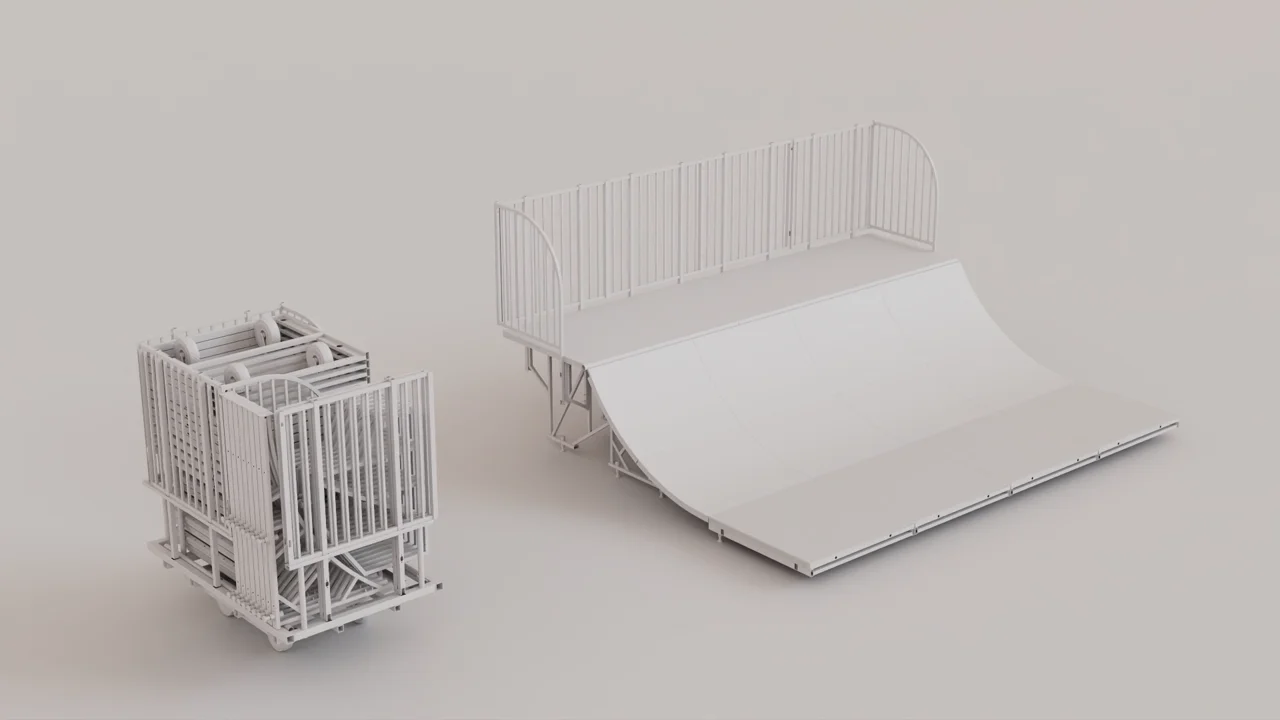
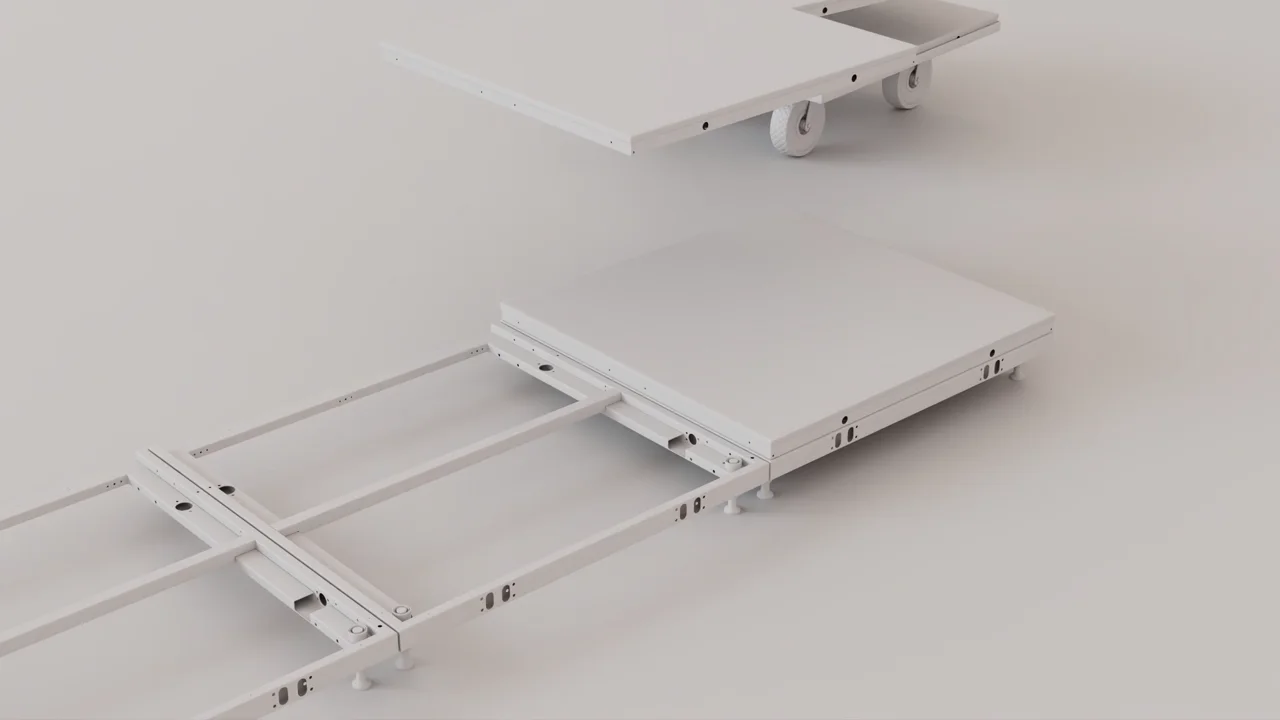
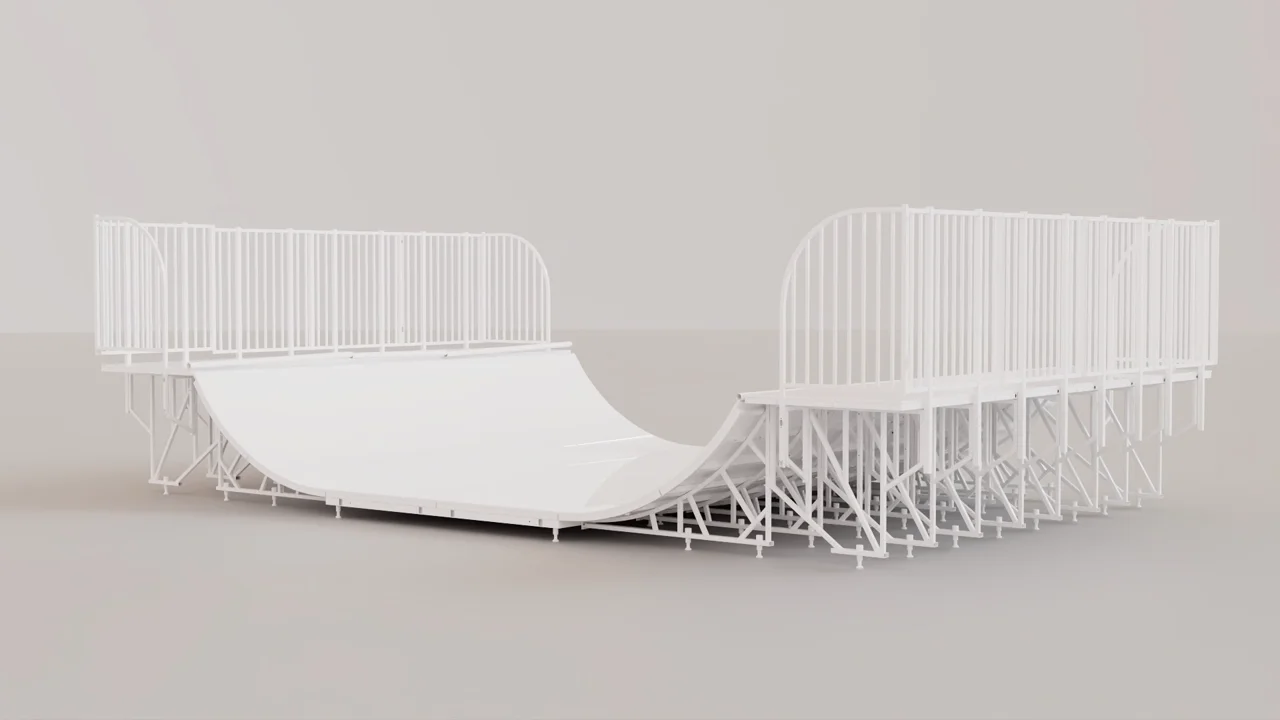
Nanuskate came to XO3D with a modular skate ramp before full manufacture. The published case study says the animation and stills were made for early customers, investors, stakeholders and launch material, and that the square cuts were planned for product pages, paid social and investor materials. It does not record which clip went into which deck, or how investors responded.
The job the visuals had to do was clear: show how the parts connect, and how the ramp goes together. Nanuskate reviewed the order of parts, the timing and the connection logic in greycard before final lighting, so the sequence on screen is the one the client approved. The frames below are from those greycard passes and the finished connection clip.
Before the deck goes out
Label what the image represents.
A slide can show something that exists, a prototype, or a design still on paper. Say which, on the slide or in the notes beside it. The product owner sets that label. The studio can tell you what a visual was built from, but not what your team has built.
One way to keep track is a line per visual: what it shows, which product revision it represents, its status, where the information came from and who approved it. The row below is fictional; leave the status open until your product owner confirms it.
| Visual | Represented product revision | Status to confirm | Information source | Approving owner |
|---|---|---|---|---|
| Hero render on slide 4 (fictional example) | Revision to confirm | Built, prototype or proposed: to confirm | The CAD file and finish references named in the brief | Your product owner |
A caption such as “Illustrative rendering of proposed design, revision to confirm” is one example. This is production guidance, not legal advice; your own advisers decide what a deck must say.
Slides and films
Agree the presentation settings first.
Formats follow where the deck will be shown, not a fixed package. Before the visuals are exported, agree:
- Where the deck will be shown: a laptop, a large screen or a shared file
- The slide size and aspect ratio
- Whether text will sit over the image, and where
- The playback format your presentation software needs
- The size and file type for each still
- Who confirms these settings
Keep the master files separate from the presentation exports, so a later version starts from the master. If the same product will need launch imagery later, plan how the product asset can carry into launch. To set the values, agree delivery specifications. To check the visuals already in your deck, review the visual assets in your deck with the XO3D Labs checklist. It is a planning aid; its score is not an approval of the deck.
FAQ
Common questions, answered.
What format are investor CGI deliverables in?
Can investor CGI later be repurposed for marketing?
How quickly can you produce investor CGI for an imminent fundraise?
Your next project
Make the product explanation clear.
A product sequence can help a viewer understand the system, mechanism or intended use. It does not establish market demand or investment performance. Keep the visual explanation tied to approved product information.
A route to consider
Technical CGI
An explanation of a product or mechanism built from approved source information, with technical review before finishing.
Bring these three things.
- Which product question must the presentation answer?
- What is built and what is proposed?
- Who approves technical claims?
Start with an outline. We review the product, intended outputs and timing before agreeing the production scope.