
XO3D Studio · Buyer guide
Is a configurator
worth building?
Configurator projects rarely fail on the 3D. They fail on arithmetic nobody did, a real-time budget nobody set, or a commerce handoff nobody owned. Six gates decide whether the idea is feasible, and all six can be answered before anyone models anything. This also covers the cases where the honest answer is that you do not need one.

The studio behind this guide
Where we sit on configurator work
A configurator platform renders what it is given, so somebody still has to build and finish the 3D assets it displays. XO3D builds the real-time product asset a configurator runs on and can build and embed the experience itself; a commissioned configurator can be handed over for you to host on your website, with hosting, updates and maintenance agreed in the brief. Come to us at the feasibility stage rather than after the arithmetic has been done, because the variant count and the real-time budget change what is worth building.
How XO3D compares to the other five supplier modelsAnswer these first
The six gates.
Answer these questions before development. Each can change the appropriate asset, interface or delivery approach.
The variant arithmetic
Multiply your options together before anything else. Six colours, four fabrics and three sizes is seventy-two combinations, and as a stills library that is seventy-two renders for every camera angle you need. As a real-time asset it is one build with swappable materials. The crossover point is where the render count you would need exceeds the render count you would ever actually commission, and for a lot of ranges that point arrives sooner than people expect.
What varies, and whether anyone cares
Colour and material swaps are light work in real time. Geometry changes are not: a different handle, an extra module, a longer chassis each need their own modelled variant, and ten of those is ten builds. It is worth checking which options customers actually choose before paying to make all of them interactive. Frequently a configurator is specified around the full catalogue when four combinations carry most of the demand.
The real-time budget
A hero render can carry tens of millions of polygons because it renders once, offline, for as long as it takes. A configurator has to load and run on a mid-range phone on mobile data. That is a different asset built to a different budget, not the film model made smaller. Polygon count, texture memory, draw calls and total download all have ceilings, and the ceiling is set by your worst-case visitor rather than your best one.
Where it runs, and what your site allows
The experience has to sit inside a real page on a real platform. That means page weight budgets, a content security policy that will permit whatever loads it, mobile layout, and whether your commerce platform can carry the chosen configuration through to the basket and the order. That last one is a commerce question rather than a 3D question, and it is the one most often discovered late.
Who builds, hosts and maintains it
Someone has to build the experience, put it live, and still own it in eighteen months when a browser update changes something. That can be XO3D, your own developers or your platform vendor, and it should be settled before production rather than after. Maintenance is the part that gets left out of the plan.
What the asset does afterwards
A well-built configurator asset is also the basis for stills, film and AR, which is where most of its value tends to come from. Agree at the outset that the model is built for reuse rather than only for the viewer, and confirm what you own at the end so extending it later is not a fresh negotiation.
On what goes wrong when a configurator has too many options
The main issue is file size. Every extra model and every extra colour has to load, and it gets heavy on the network very quickly. Phones can't load it fast. It all comes down to file size and loading.
Honest disqualification
When you do
not need one.
A configurator needs a maintenance owner and a process for updating product rules, assets and supported devices. Four situations where something simpler is the better answer.
- A 360 viewer would do
- If customers mainly want to see the product from every side, a turntable answers that and is far simpler than a configurator to build, run and maintain.
- A stills set covering the real demand
- Where four or five combinations carry most of the orders, rendering those properly and showing them well usually beats an interactive covering ninety.
- Nobody owns the integration
- If there is no development capacity on your side and no agreed owner for the commerce handoff, a configurator will stall at exactly that point. Fix the ownership question first.
- The range is about to change
- Building interactive variants for a range that is being revised in two quarters means building twice. Wait, or start with the parts that are stable.
If one of those describes your situation, when do you need interactive 3D compares the lighter formats and what each actually supports.
Before you brief
What to bring
to the first
conversation.
- The option list: every colour, material, size and component variant, and which of them change geometry rather than just finish.
- What sells: which combinations actually carry your orders. This usually changes the plan.
- The page: where it will run, on what platform, and any page weight or content security policy limits your site enforces.
- The commerce path: whether the chosen configuration needs to reach the basket, a quote, or just inform the decision.
- The owner: who implements it, and who still owns it in eighteen months.
Who does what across those last two is set out on integrations.
Related
Where to
go next.
Common questions
Straight
answers.
How many product variants before a configurator is worth building?
There is no single number, because it depends on how many camera angles you need and whether the variation is material or geometric. The useful test is arithmetic: multiply your options, multiply by the angles each channel needs, and compare that render count against what you would realistically commission as stills. If the honest answer is that you would never commission them all, a real-time asset starts to make sense. If four combinations carry most of your orders, rendering those well is usually the better spend.
Can you use the same 3D model for the launch film and the configurator?
The same underlying build, yes, and that is the efficient way to do it. The same delivered asset, no. A film model renders offline and can carry enormous detail; a configurator has to load and run on a mid-range phone, so it is derived from the master build to a real-time budget rather than being the film model made smaller. Planning both from the start makes their different geometry and performance requirements explicit.
Who builds and hosts the configurator?
It varies by project and it should be agreed before production. For Acumen, XO3D built an image-layer furniture configurator and its web developer, Lemuel, handled integration into the client website. Later option updates were not included. For Rollink, the client team built its own website configurator from XO3D imagery. Agree who builds the interface, integrates it, hosts it and handles later updates; an asset commission alone does not settle those responsibilities.
Will it work on mobile?
It has to, and that constraint should shape the build rather than be tested at the end. Most visitors to a product page arrive on a phone, frequently on mobile data, so total download, texture memory and how quickly the first frame appears matter more than maximum visual fidelity. A configurator that looks superb on a desktop workstation and stalls on a mid-range Android has failed at the only moment that counted.
What happens when our product range changes?
Material and colour options are usually straightforward to extend, because they reuse the existing build. New geometry is a new modelled variant and needs scoping as such. If a range revision is already planned, it is often better to build the stable part of the range first rather than pay to make variants interactive twice.
Start with the arithmetic
Send us your
option list.
Tell us the variants, where it needs to run and who owns the front end. We will tell you whether a configurator is the right answer, and say so if it is not.
Talk through your rangeYour next project
Test the decision before the interface.
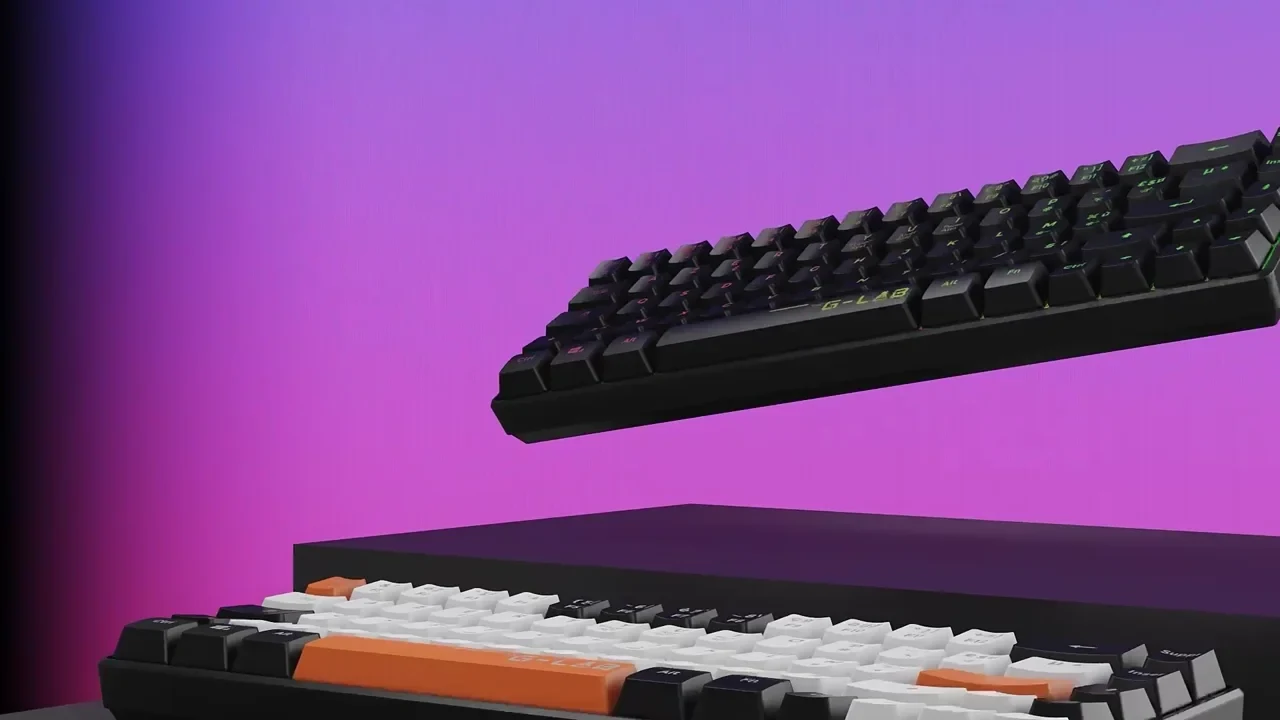
A configurator should help a buyer make a meaningful choice. Define valid combinations, the product source and a test device first. The G-Lab film below demonstrates product detail, not a delivered configurator.
A route to consider
Product interactives
A product experience scoped around a useful interaction, supported devices, model performance and a clear fallback.
Bring these three things.
- Which choices can the buyer make?
- Which combinations are invalid?
- What devices and fallback must be supported?
Start with an outline. We review the product, intended outputs and timing before agreeing the production scope.