
XO3D Studio · Thinking
Configurator platform or CGI studio?
A configurator platform gives you the features and quality its own offer allows. A CGI studio builds the configurator around how your product should look, and makes the models it runs on.

When a brand asks me whether to use a 3D configurator platform or commission a CGI studio, my first question back is: what level of quality does your product configurator need?
A lot of configurator platforms are set in what they use, the methods they use and the quality they can provide. Threekit is one example, and some platforms run a custom version of their own, but each one is set to what its offer is. You get a set number of features, and a set list of things you can actually use in your configurator.
Come to a CGI studio and define exactly how you want your product to look, and the studio can make a custom build. That can mean much higher quality, and more features or fewer, depending on what you need.
The models
Who actually builds the 3D models a configurator shows?
A 3D configurator always needs custom-built models, built from scratch from the CAD files. Some of the time a configurator platform can't do that for you, and you have to go to another company to get the models built.
When we made AR models for Sony's web pages, working for ImageNova, we had to bring in Sony's CAD and remodel everything to get it down to a set file size, so the models would load quickly on phones and on any desktop. The model has to be extremely low in file size.
With a CGI studio you get the whole package: the models, the texturing and the configurator build, instead of going to several different companies to get the files done.
Your CAD
If you already have good CAD, is the product ready?
It doesn't matter how good the CAD is. It has to be remodelled from scratch, whatever happens. CAD files aren't suitable for product configurators: they carry far more data than a configurator needs, and that extra data only adds load and slows down how quickly it opens.
Brands always underestimate how long it takes to remodel something from scratch. It's one of the longest processes in 3D modelling.
Configurator or interactive
What is the difference between a configurator and a product interactive?
A product configurator is mostly used on an e-commerce website, for a product that comes in different configurations: add-ons, colours or features that the buyer can select and use.
A product interactive, such as a 360 viewer, shows a set product. It is rendered as images, and the buyer can't change the features of the product the way they can in a configurator. The 360-degree iKettle viewer we built for our own website, from the renders we made for Smarter, is that kind of interactive.
Rollink Flex 360
A colour selector is not a configurator.
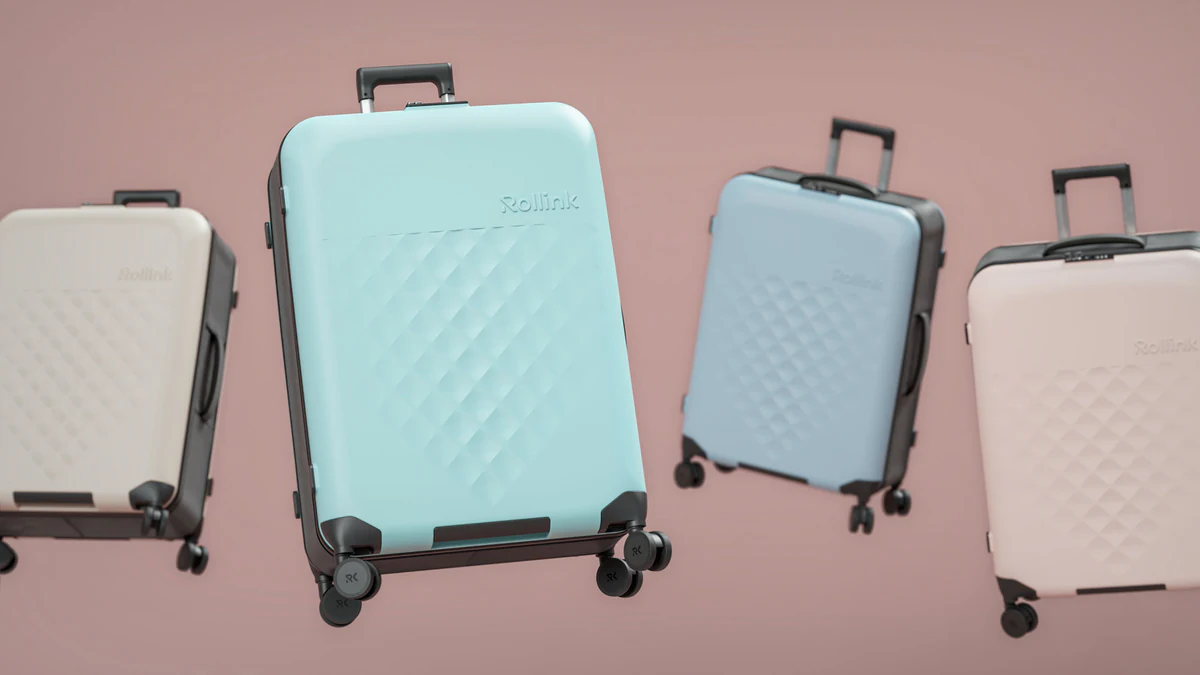
On Rollink's Flex 360 suitcase, we did all the 3D modelling, and rendered every colour configuration: the e-commerce stills alone ran across four sizes and eight colourways. Rollink built the configurator on its own site in-house, using our imagery.
We built the version on our own site, to show what could be done with all of the colours. It is a colour selector rather than an in-depth product configurator.
File size
What goes wrong when a configurator has too many options?
The main issue is file size. Every extra model and every extra colour has to load, and it gets heavy on the network very quickly. Phones can't load it fast. It all comes down to file size and loading.
That is why our real-time models are typically delivered at around 10 MB or less, with the load target agreed against your own worst-case device.
Colour and finish
How do you keep a colourway right in a real-time viewer?
The testing happens before. Whether it is a real-time configurator or a rendered still, we set colours that have been tested beforehand, so the product looks correct to the real thing.
Perfect, or as close to perfect as the screen allows. A lot of screens have different colour set-ups, so we get as close as possible.
When a platform is right
When would I tell a brand to use a platform?
Honestly, I don't think I ever would, unless the brand needs that specific platform for its website. Some websites can only run certain platforms, and then the platform is the right call.
Before you sign
Three questions to ask a platform or a studio.
Whether you are talking to a platform vendor or a studio, ask these three before you sign.
Can you handle all the 3D modelling and texturing in-house, or does it go to another company?
What is your file size limit?
How many colours and options are covered, and what are you tied into once it is live?
The file size limit is the one people skip, and it matters most. It decides whether the configurator loads quickly, and whether your CAD has to go somewhere else first to get down to the right size.
After launch
What happens once it is built?
Once we have built a configurator, we hand it over. You can host it on your own website, and it doesn't depend on us to stay online.
In one sentence
When to come to XO3D, and when to go to a platform.
Come to XO3D when you want the 3D modelling, the texturing and the configurator itself made in one place, built once and handed over to you. Go to a platform when your website can only run that platform.
Further reading: Is a configurator worth building? works through the variant count, the real-time budget and who owns the build, and Studio, platform, VFX house or agency? compares six kinds of 3D content partner.
Your next project
Put the idea into the brief.
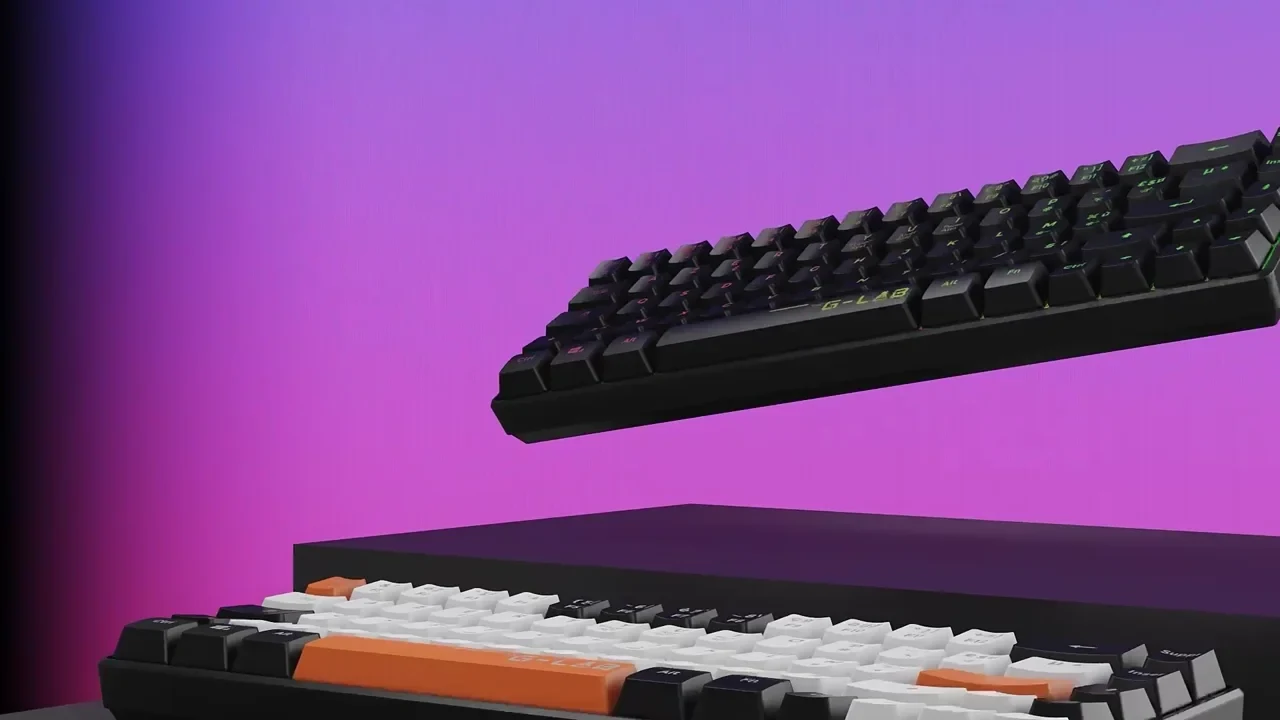
Configurator Platform or CGI Studio? starts with the quality and options your product needs. Treat the keyboard film below as a reference for model quality, not a configurator case study, then set out what the buyer will choose and where it has to run.
A route to consider
Product interactives
A product experience scoped around a useful interaction, supported devices, model performance and a clear fallback.
Bring these three things.
- Which options will the buyer choose?
- What CAD do you have for the product?
- Which website or platform does it have to run on?
Start with an outline. We review the product, intended outputs and timing before agreeing the production scope.