
Service
Product AR Services.
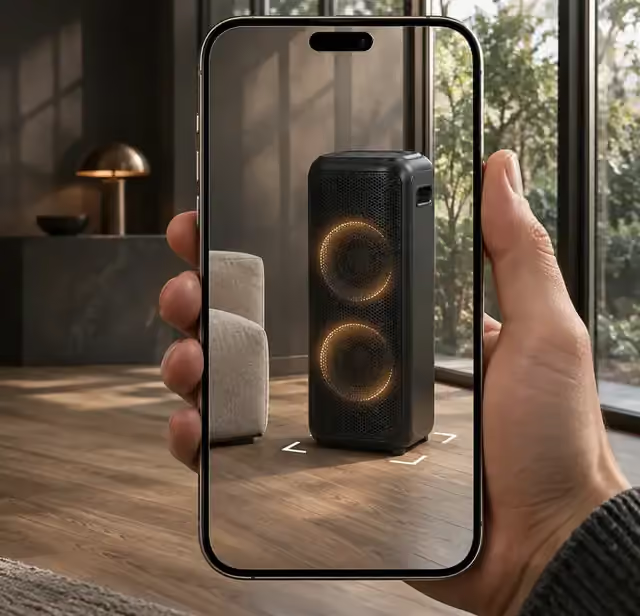
XO3D creates production-ready product AR for ecommerce, so customers can place, rotate and explore your product in their own space.
Selected clients







Sony work via ImageNova. Ferrari and Burberry work via KCD.
Product AR
Product AR built for confidence at the point of purchase.
Product augmented reality lets your customers place your product into their world before they buy. Whether that changes returns or confidence on your product page is worth measuring against your own baseline. For how the technology senses a room and places a model, read what augmented reality is and how it works.
XO3D creates product AR assets and previews for brands that need buyers to judge scale and placement. The project scope agrees the product dimensions, supported delivery routes, implementation owner and useful fallback before production. This page covers augmented reality for ecommerce product pages, where scale and placement matter to the buyer.
Why it matters
What a buyer can check.
These are practical things a shopper can do with AR. Whether it changes conversion or returns on your store is measured against your own storefront baseline. If you are new to the subject, start with AR and 3D for ecommerce basics or read about AR on Shopify.
Inspect placement.
Place the product in a real room on a supported phone and check its footprint, height and clearance against the space it will go in.
Compare an approved option.
Switch between the finishes or variants the brand has approved, so the buyer compares real options in the same view before choosing.
Understand the product before committing.
Turn the model, look at the details that matter and read the product page alongside it, before deciding whether to buy.
No app required.
Compatible iOS and Android phones can launch AR from the browser. Other devices can explore the product in 3D.
What we deliver
AR experiences, end to end.
XO3D delivered the Sony headphones and both speaker models shown below to Sony through ImageNova. Each web-optimised GLB was 10 MB or less, prepared for Amazon and other online stores. Sony continues to use these models.
Scan with your phone to place it in your room. Works on iPhone and Android, no app needed.
In-Browser AR Preview
Rotate the G-LAB gaming keyboard, then place it on your desk using a supported phone.
Demonstration. This is the G-LAB keyboard model, shown so you can try browser 3D and AR placement on your own phone. The G-LAB project itself delivered a launch film and stills. It is not a record of an AR deployment on a client store.
Scan with your phone to place it in your room. Works on iPhone and Android, no app needed.
BlackAR Colourway Switching
Let customers swap finishes and colours in the browser before launching into AR. Click a swatch to switch the finish, then open the chosen colour in AR on a supported device.
Each colour here is its own model file, so the AR viewer opens the file for the chosen colour. The chosen finish is still checked in each AR route on the agreed devices, because a native viewer can show materials differently from the browser.
1 / 2
Scan with your phone to place it in your room. Works on iPhone and Android, no app needed.
AR for Ecommerce
Explore the black Sony XBH portable speaker. Select a numbered point to look closely at the controls on top.
Shown here to demonstrate labelled points in a 3D view. The numbered notes describe the visible controls only.
Scan with your phone to place it in your room. Works on iPhone and Android, no app needed.
USDZ + GLB Asset Delivery
Inspect the Sony ULT Tower speaker from four camera positions, then place the model in your space on a supported phone.
Shown here to demonstrate set camera views and AR placement. Placement is a visual guide on a supported phone, not a measurement.
AR on an ecommerce product page
Which route opens on which device.
On a product page, the same product can open in browser 3D, in WebXR, in Android Scene Viewer or in iOS Quick Look. Which one a buyer sees depends on your storefront and on the buyer's phone. The table sets out what each route needs, what it lets a buyer do, what gets checked and what happens if it cannot open.
| Route | Supplied asset | Intended interaction | Client check | Fallback |
|---|---|---|---|---|
| Browser 3D | GLB model in the page | Turn and zoom the product on the product page, on desktop or phone | Load, materials and details on the agreed browsers | Product stills if 3D cannot load |
| WebXR | The same GLB, opened in an AR session from the browser | Place the product in the room without leaving the page | Placement, scale and lighting on the agreed phones | Scene Viewer, Quick Look or the browser 3D view |
| Android Scene Viewer | GLB file | Place the product in the room in Android's own AR viewer | Scale, materials and the chosen variant on the agreed Android phones | The browser 3D view |
| iOS Quick Look | USDZ file | Place the product in the room in Apple's own AR viewer | Scale, materials and the chosen variant on the agreed iPhones and iPads | The browser 3D view |
Supported devices are agreed in the project scope and checked on real phones, not assumed from this table. A finish chosen in the browser does not always carry into the native viewers: Scene Viewer loads the original model file again, and Quick Look handles some material settings differently. On this page each colour is its own model file, so the viewer opens the file for the chosen colour. Google's model-viewer scene graph guidance explains why. So the chosen delivery route is checked for each variant before launch.
Who it's for
Built for products where scale and placement matter.
Product AR is most valuable where physical fit and scale matter to the purchase decision, consumer electronics, furniture, lifestyle products, jewellery and fashion. Anywhere a buyer needs to see the product in their space before committing.
We work with direct-to-consumer brands, marketplaces investing in product page assets, and retailers building category-level AR experiences. We slot into your existing platform and creative direction.
Selected work
CGI source material and references.
These projects show the product modelling, materials and direction an AR asset can be built from. Each card says what the project delivered.
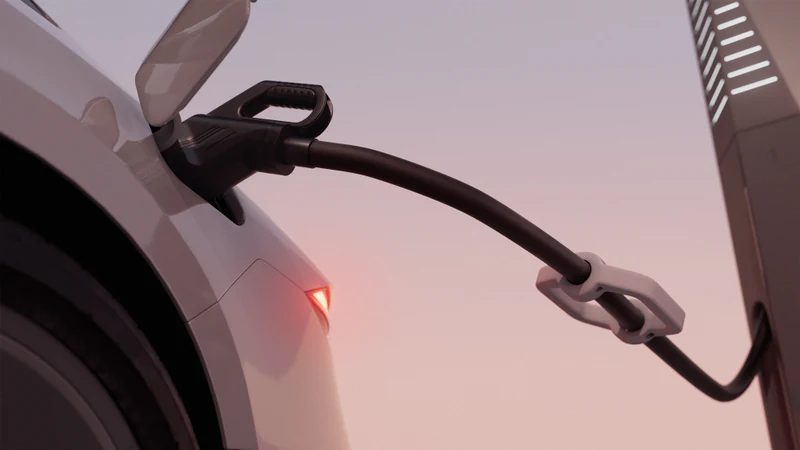

Engineering-grade CGI for EV charging infrastructure, hero stills, explainer animation and stakeholder-ready visual content.
Delivered: 3D animation and product renders. No AR deployment is recorded for this project.
View case study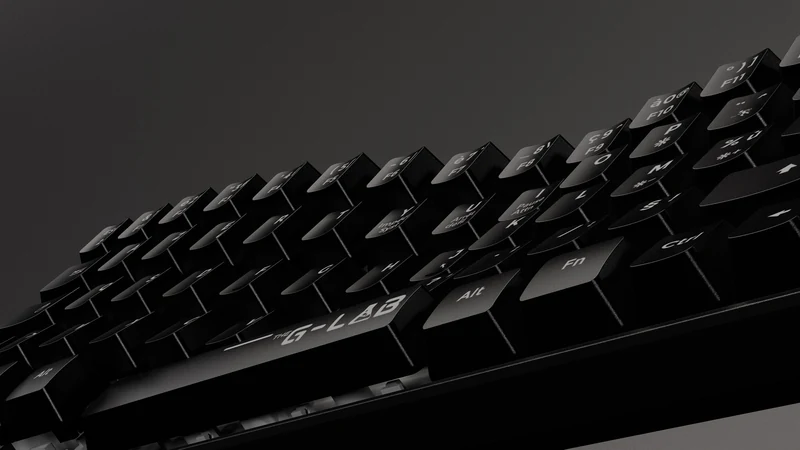

Feature-led product CGI showcasing materials, form and RGB lighting, built for launch marketing and ecommerce.
Delivered: a 40-second launch film, stills and cross-channel cuts. No AR deployment is recorded for this project.
View case study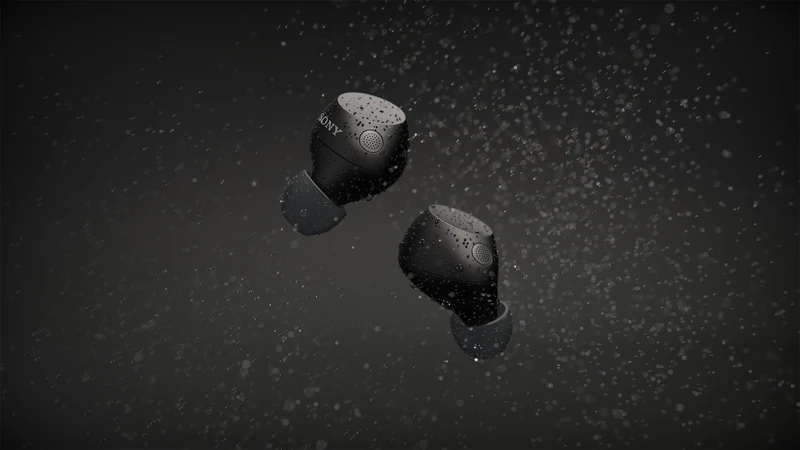

Sony WF-C710 for ImageNova: two short animated segments for the launch commercial, plus rendered colourways composited into product photography.
This case covers the WF-C710 film work for ImageNova: animated segments and composited colourways. The Sony models in the demonstrations above were a separate delivery.
View case studyHow we work
Four steps. No surprises.
- Step 01
Share the brief.
Send CAD files, reference imagery or a written brief outlining the product, target platforms and intended use.
- Step 02
Optimise the asset for AR.
We optimise polygon count, texture size and materials so the model loads fast and runs smoothly on real-world mobile devices.
- Step 03
Check on your devices.
We share a hosted link or QR code so your team can check scale, materials and interaction in Quick Look, Scene Viewer or the web viewer before launch.
- Step 04
Deliver and embed.
Final USDZ and GLB files delivered with embed-ready markup. Depending on the project, XO3D's developers embed it in your ecommerce platform or your developers implement it from what we deliver.
What we need
What to send with a product AR brief.
You do not need to know the file formats. Send what you have. This list covers what an AR asset depends on, so the first conversation can settle it.
- Physical dimensions of the product, with units.
- CAD files or reference imagery.
- The finishes or variants that need to appear.
- Your ecommerce platform, and who will implement the embed.
- The devices your buyers use, and which ones must be checked.
- Your launch date.
- What should happen when AR cannot open on a buyer's device.
Use the product CGI brief template to organise it, or send us the brief.
The advantage
Why brands choose XO3D.
Built from technical inputs.
We work from CAD files, drawings and reference material, accurate scale, accurate materials, accurate AR experience.
Optimised for mobile AR.
Polygon count, texture size and material complexity are tuned for fast load and smooth interaction on real-world devices.
Production-ready files.
USDZ for iOS Quick Look, GLB for Android Scene Viewer and WebXR, delivered in formats your platform can launch natively.
Structured for smooth delivery.
Clear stages, focused feedback and responsive communication keep projects moving efficiently.
FAQ
Common questions, answered.
What is product augmented reality?
How does product AR work?
What are the benefits of product AR?
What formats do you deliver AR assets in?
How is AR used on an ecommerce product page?
Can I embed AR previews on my existing website?
Your next project
Define scale, placement and fallback.
Choose an interaction that helps the buyer understand the product. Test it on the intended devices and retain useful imagery when AR is unavailable. The linked film is a spatial reference, not AR outcome evidence.
A route to consider
Product interactives
A product experience scoped around a useful interaction, supported devices, model performance and a clear fallback.
Bring these three things.
- What placement or interaction is needed?
- Which device range matters?
- How will scale and fallback be checked?
Start with an outline. We review the product, intended outputs and timing before agreeing the production scope.